

Creeper Skin v1.0.0
Overview
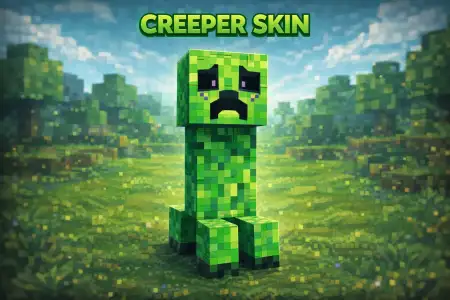
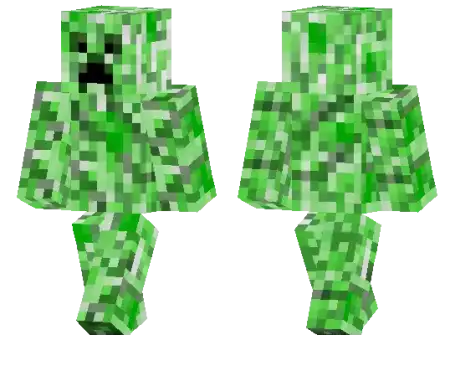
Creeper Skin mine-craft 22-01-2026, 23:26 800 Skins Creeper Skin is simple, iconic, and honestly kind of funny in the best way. Youâre basically rocking the classic green creeper style everyone recognizes instantly, but the sad face changes the whole mood. Instead of looking like youâre about to blow up someoneâs base with zero regrets, it gives off that âI didnât mean toâ energy, which makes it perfect for screenshots, survival clips, or just messing around on servers.Itâs also a really clean pick if you like skins that donât get lost in busy lobbies. Creeper colors are high-contrast and easy to spot, so your friends can find you fast, and the sad face becomes the detail people remember. On survival worlds, it fits any biome, any build theme, and any armor set, because itâs a classic silhouette that never feels out of place.If youâre the type who likes small personality touches instead of a full costume, Creeper Skin is that. You still look like a creeper, but the expression makes it feel like your character has a whole story going onâespecially when youâre sneaking around caves, popping out of dark forests, or showing up at someoneâs base like youâre about to cause problems, but emotionally.How to Install Skins in Minecraft Bedrock- Download a .png skin (64Ã64 or 128Ã128).- Open Minecraft Bedrock.- Go to Profile (hanger icon) â Edit Character.- Tap Owned â Import â Choose New Skin.- Select your .png file.- Pick a model: Classic (Steve) or Slim (Alex).- Confirm to equip and play.creeper_1_png.zip [5.26 Kb] (downloads: 14)
💬 Comments (0)
Login to leave a comment.
No comments yet. Be the first!