

SCP-106 Object Class:Keter Skin v1.0.0
Overview
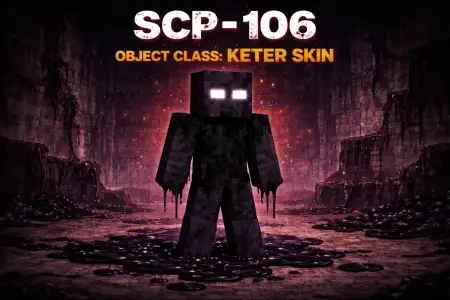
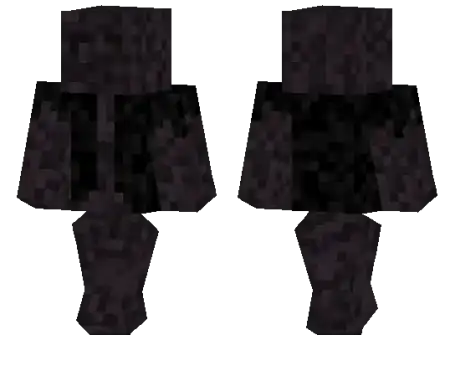
SCP-106 Object Class:Keter Skin mine-craft 23-01-2026, 12:14 662 Skins SCP-106 Object Class:Keter Skin is for players who want to look like the reason everyoneâs base suddenly feels unsafe. The âKeterâ tag alone screams high-threat energy, and the SCP-106 theme fits right into any world where youâre leaning into horror, mystery, or that uneasy âsomething is stalking the hallsâ vibe.This skin works especially well in multiplayer because it instantly sets a tone. You can walk through a village at night, lurk in caves, or stand still in a doorway and make people hesitate for a second before they approach. Itâs the kind of look that makes simple moments feel like scenes, which is why itâs great for roleplay sessions and content clips where the characterâs presence matters.In survival, SCP-106 Object Class:Keter Skin pairs nicely with darker buildsâunderground labs, abandoned facilities, prison maps, or anything industrial and dimly lit. Even if youâre just doing normal chores like mining and farming, the skin keeps that âcontained monsterâ vibe the whole time. If you want a horror-themed identity that feels serious and recognizable, SCP-106 Object Class:Keter Skin nails that tone.How to Install Skins in Minecraft Bedrock- Download a .png skin (64Ã64 or 128Ã128).- Open Minecraft Bedrock.- Go to Profile (hanger icon) â Edit Character.- Tap Owned â Import â Choose New Skin.- Select your .png file.- Pick a model: Classic (Steve) or Slim (Alex).- Confirm to equip and play.scp106-object-classketer_1_png.zip [4.97 Kb] (downloads: 57)
💬 Comments (0)
Login to leave a comment.
No comments yet. Be the first!