

Hooters Skin Pack v1.0.0

Overview
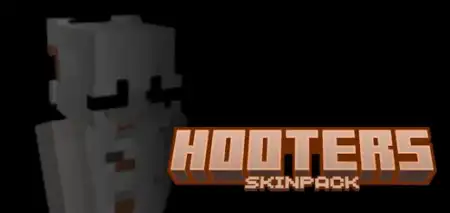
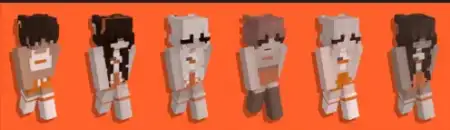
Hooters Skin Pack mine-craft 12-09-2025, 16:36 1 250 Skins Hooters Skin PackQuick hook: want your squad to look like a real crew the second you load in? These skins snap into that bright orange-and-white vibe and read instantly in third person and thumbnails. Youâll pop in screenshots, but you wonât lose readability in fights or parkourâsolid outlines, clean shading, and first-person sleeves that donât get muddy.Hereâs the feel in Minecraft Bedrock after a few sessions: the Hooters Skin Pack turns casual play into an event. On a modern city map, Iâll drop a roadside diner build, hang a few orange banners, and the skins do the restâboom, the block feels alive. In Survival, the palette pairs nicely with birch, smooth quartz, copper, and acacia, so your character never clashes with base aesthetics. Armor sits on top without ruining the lookâiron and diamond leave enough of the color scheme peeking through, and dyed leather can match for themed RP nights. Elytra screenshots land, too; those bright accents carry in the air.On Realms, itâs perfect for teams and jobs: host shifts at a food court, run delivery races across districts, or theme a mini-game hub so players can spot staff at a glance. For creators, the skins are thumbnail goldâbold colors, readable silhouettes, and hands that look tidy in building POVs. Everything stays purely cosmetic, achievement-friendly, and performance-light; youâre not changing hitboxes or sneaking in scripts, just swapping your fit.Tips to sell the theme: use orange/white banners at entrances, place barrels and smokers behind a counter for kitchen vibes, and set up bell âorderâ callouts. If youâre chasing a playful, high-energy look that says âthis spot is open for business,â the Hooters Skin Pack nails itâand your world instantly feels a little more like a bustling server hotspot.How to Install Skins in Minecraft Bedrock- Download a .png skin (64Ã64 or 128Ã128).- Open Minecraft Bedrock.- Go to Profile (hanger icon) â Edit Character.- Tap Owned â Import â Choose New Skin.- Select your .png file.- Pick a model: Classic (Steve) or Slim (Alex).- Confirm to equip and play.hooters-update-1.mcpack [7.67 Kb] (downloads: 79)
💬 Comments (0)
Login to leave a comment.
No comments yet. Be the first!