

Squid Games Skin Pack v1.0.0



Overview
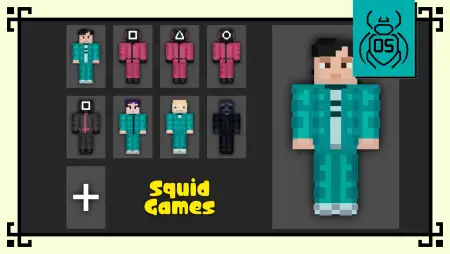
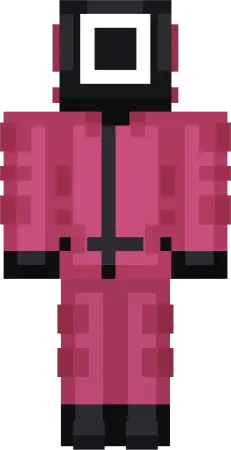
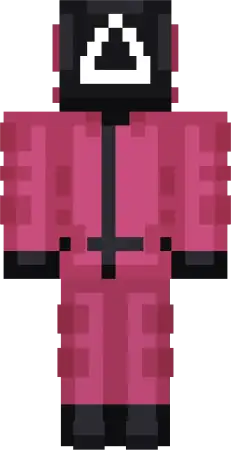
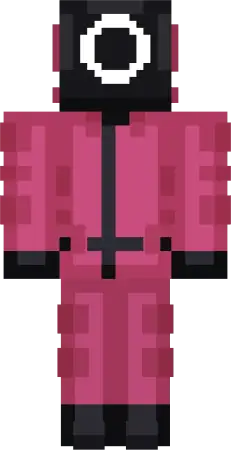
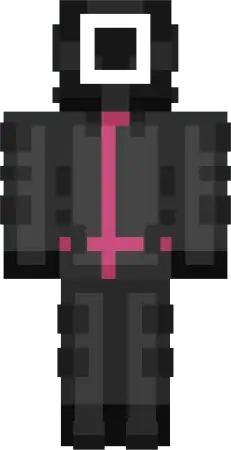
Squid Games Skin Pack mine-craft 12-01-2026, 11:12 619 Skins Squid Games Skin Pack (Skin Pack â Squid Game Edition) is basically instant mood. You load into a normal Minecraft Bedrock world, but your crew suddenly looks like they stepped out of a survival-game storyâmasked staff, nervous contestants, and that âwhoâs actually in control here?â energy. The Funko-style proportions keep everything clean and readable, so the skins still look sharp when youâre sprinting across rooftops, juking in caves, or trying not to get clipped in PvP.The lineup is built for roleplay without forcing anything. Gi-hun gives you that determined-but-stressed vibe, like youâre always one bad decision away from chaos. The Manager, Guard, and Worker are the perfect ârules are rulesâ characters for hosting mini-games on a custom map, running a server event, or just messing with your friends by standing silently in a hallway like you own the place. The Officer brings that stealthy infiltrator feelâgreat if youâre the player who sneaks off during group sessions and comes back with loot like nothing happened.Then youâve got the weirder, more mysterious picks that keep the pack from feeling samey. Oh Il-nam has that calm, harmless look thatâs honestly perfect for trollingâpeople underestimate you until youâre the one walking away with the best gear. Hwang In-ho leans into the masked mastermind vibe, which hits hard in screenshots, throne-room builds, or any âfinal bossâ moment on a map. And yeah, Thanos being here is wild, but it actually works in a Minecraft way: purple hair, bold presence, and a skin that instantly stands out in a crowd, especially on multiplayer hubs.If youâre using this pack for survival challenges, the trick is matching skins to roles. Put a Guard or Manager on whoeverâs running the rules, keep contestants as the players, and suddenly a basic obstacle course or parkour run feels like a whole event. For builders, these skins are also super easy to theme aroundâcold concrete arenas, underground dorm rooms, red-lit corridorsâanything that screams âmystery game.â If you want a clean, collectible Squid Game vibe for Minecraft Bedrock without extra fluff, Squid Games Skin Pack does the job and makes your world feel way more intense the second you spawn in.How to Install Skins in Minecraft Bedrock- Download a .png skin (64Ã64 or 128Ã128).- Open Minecraft Bedrock.- Go to Profile (hanger icon) â Edit Character.- Tap Owned â Import â Choose New Skin.- Select your .png file.- Pick a model: Classic (Steve) or Slim (Alex).- Confirm to equip and play.squid_games_skin_pack_v2.mcpack [14.99 Kb] (downloads: 64)
💬 Comments (0)
Login to leave a comment.
No comments yet. Be the first!