

Ash Aristocracy Skin Pack v1.0.0
Overview
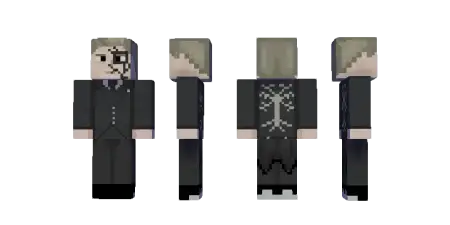
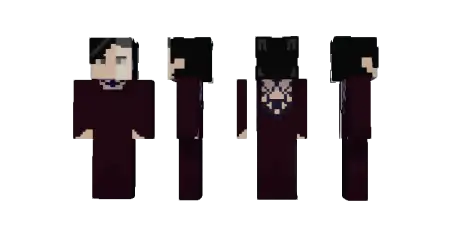
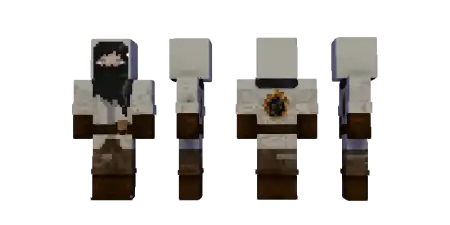
Ash Aristocracy Skin Pack mine-craft 22-02-2026, 15:20 458 Skins Ash Aristocracy Skin Pack is pure vibe and lore, the kind of cosmetic pack that makes your character feel like they belong in a moody fantasy world the second you load in. The theme is a lineage defined by what they chose to forget, which instantly gives the skins a story without needing any extra mechanics. These arenât bright heroes or goofy cartoon looksâthis is the âwalk into the room and the air gets colderâ kind of aesthetic.The central idea is the black flame. In the Ash Aristocracy, they use it to incinerate bitter memories and regret, like theyâre literally burning away everything that ever weighed them down. Thatâs a sick concept for Minecraft Bedrock roleplay, because it fits perfectly with worlds that have gothic cities, ruined castles, obsidian halls, or scorched landscapes. Even in a normal survival world, it changes your characterâs presence. Youâre not just a player gathering woodâyouâre a noble out of some ash-burned dynasty, surviving because elegance is the only thing that lasts.The line âelegance is the only thing that survives the fireâ is basically the whole mood. It suggests these skins should look refined and controlled, even when everything else is chaos. That makes the pack perfect for PvP lobbies where you want to look intimidating without being loud, or for story maps where you want your character to match dark lore. It also works great in multiplayer squads: if everyone uses Ash Aristocracy skins, your group instantly looks like a faction with a shared identity instead of random friends in random outfits.Practical tip: pair Ash Aristocracy Skin Pack with builds that match the theme. Blackstone, deepslate, dark wood, and candle-lit interiors will make the skins feel like theyâre âfromâ the world instead of just dropped into it. Ash Aristocracy Skin Pack is for players who want a character aesthetic that feels high-class, haunted, and powerfulâlike the last beautiful thing standing after the fire takes everything else.How to Install Skins in Minecraft Bedrock- Download a .png skin (64Ã64 or 128Ã128).- Open Minecraft Bedrock.- Go to Profile (hanger icon) â Edit Character.- Tap Owned â Import â Choose New Skin.- Select your .png file.- Pick a model: Classic (Steve) or Slim (Alex).- Confirm to equip and play.ash-aristocracy.mcpack [28.99 Kb] (downloads: 7)
💬 Comments (0)
Login to leave a comment.
No comments yet. Be the first!