

Neon Glow SkinPack v1.0.0
Overview
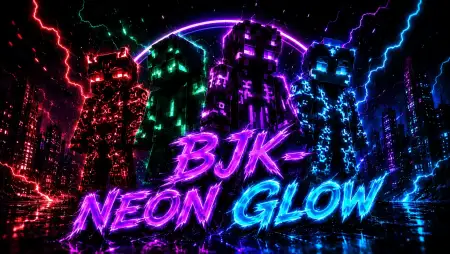
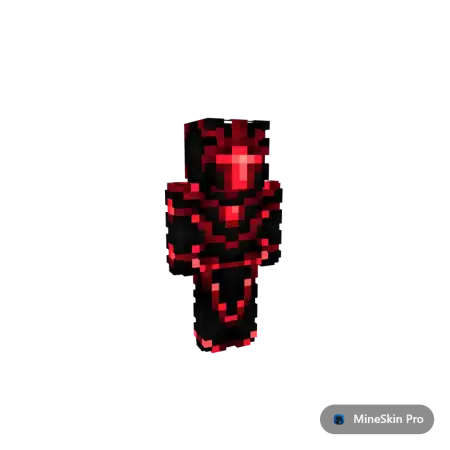
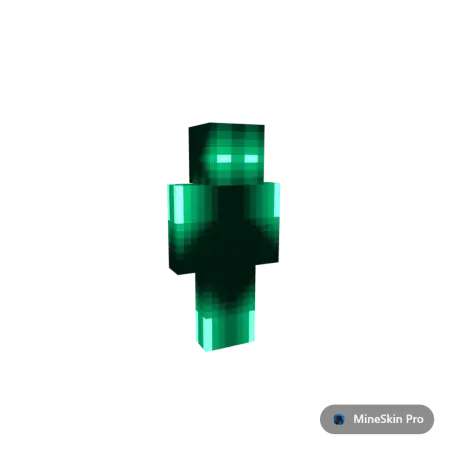
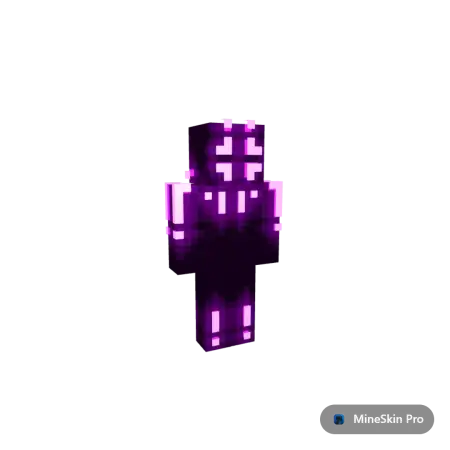
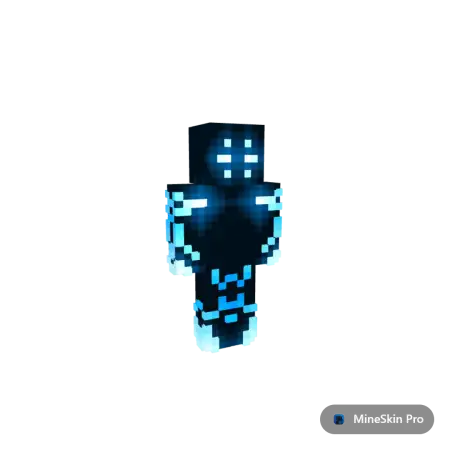
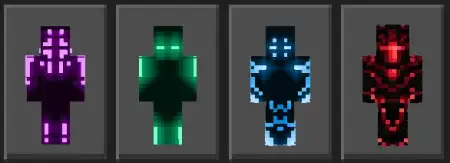
Neon Glow SkinPack mine-craft 10-07-2026, 01:02 285 Skins The Neon Glow SkinPack brings four ultra-bright, futuristic designs to Bedrock, making your character completely illuminate any multiplayer lobby. It's a quick way to grab everyone's attention without messing around with clunky 4D models.Strolling into a crowded server hub with a generic skin means you just blend into the background noise. This MCPE neon skin pack completely changes that by wrapping your avatar in high-contrast luminous lines. You get four distinct color options featuring sharp, glowing accents over a dark base, making the colors look like they are literally popping right off your screen. It brings a cool cyberpunk vibe into your standard world, especially when you are wandering through deep dark cave biomes or building outdoor bases at midnight.Rocking a glowing aesthetic might sound like a massive tactical disadvantage if you are trying to play stealthy, but in crowded multiplayer hubs, it operates as the ultimate psychological taunt. When you sprint across a bridge radiating electric pink or toxic green energy, you are broadcasting total confidence. You want the opposing squad to see you pushing their bed. Your digital footprint instantly screams that you have the mechanical skill to back up the flashy wardrobe. Plus, if your faction is currently building out a massive sci-fi megacity or a cyberpunk trading hub, equipping these custom textures elevates the entire server atmosphere. You stop looking like a stranded survivor and start looking like a high-tier cybernetic operative.Dealing with busted internet files is the fastest way to ruin a weekend gaming session, but this custom Bedrock Skinpack locks in flawlessly through your native Dressing Room. You completely bypass the infuriating geometry glitches and missing limb bugs that usually plague third-party imports. Because it utilizes official file formatting, your entire cross-platform friend group on Windows, console, and mobile will see your radiant drip the exact millisecond you spawn into the active chunk. The hitboxes remain perfectly standard, ensuring your combat performance stays absolutely crispy during high-intensity skirmishes.Your active cosmetic choice dictates how the rest of the lobby perceives your threat level. Continuing to wear dusty vanilla clothes while everyone else looks incredible is just a bad play. Equip your favorite radiant colorway, step out of the shadows, and illuminate the battlefield.Even though Bedrock doesn't support actual dynamic light emission from player textures alone, the clever pixel art shading used here gives off a massive illusion of a constant glow. Because these designs rely strictly on standard player model sizes, you won't experience annoying hitbox issues or broken armor layering during high-stakes PvP games. Your elytra and Netherite chestplates will sit perfectly over the textures without any ugly clipping.If you love high-energy, modern aesthetics and want to flex a flashy look on your friends, adding these custom Bedrock skins to your active rotation is an easy win. Grab the file, pick your favorite neon color, and light up the server.Quick guide: How to install this Minecraft skinpackDownloaded the .mcpack file? Here is exactly how to get it into your game depending on what device you are using right now.- On Windows or Android: Just click or tap the downloaded file twice. Minecraft will open up on its own and load the skins immediately.- On iPhone or iPad: Save the file, open your Files app, and hold your finger on it. Hit Share, select Minecraft from the list, and the game will handle the rest.To put the skins on, just open Minecraft, head over to the Dressing Room (Profile), click on Classic Skins on the left, find this pack under Owned, and tap Equip.neonglowskinpack.mcpack [10.82 Kb] (downloads: 28)
💬 Comments (0)
Login to leave a comment.
No comments yet. Be the first!