

HerobrineGG Skin v1.0.0
Overview
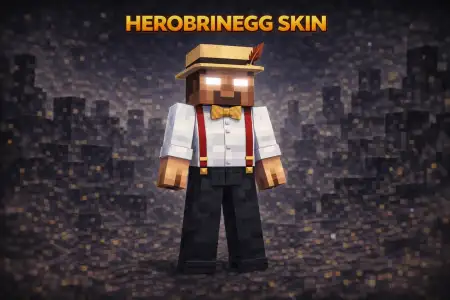
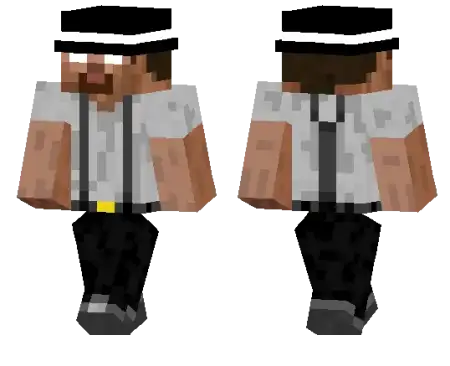
HerobrineGG Skin mine-craft 23-01-2026, 12:10 515 Skins HerobrineGG Skin takes the usual Herobrine vibe and flips it into something way more stylish. Instead of looking like you crawled out of a creepy seed story, you look like Herobrine cleaned up, threw on suspenders, and showed up like heâs about to run the hottest jazz set in the Nether. Itâs still instantly recognizable as Herobrine from a distance, but the outfit makes it feel more like a character than a spooky meme.On multiplayer servers, this skin is perfect because it stands out without being loud. The suspenders give it that âclassy but chillâ look, so you can roll up to spawn, trade with villagers, or join a PvP lobby and actually look unique compared to the usual army of dark edgy skins. Itâs also great for messing with friendsâstanding in the shadows still works, but now itâs funny because you look way too put-together.In survival, HerobrineGG Skin fits any world theme, especially if you build towns, clubs, or city maps where a dressed-up character makes sense. If you want a Herobrine skin thatâs less horror and more swagger, HerobrineGG Skin is a clean pick.How to Install Skins in Minecraft Bedrock- Download a .png skin (64Ã64 or 128Ã128).- Open Minecraft Bedrock.- Go to Profile (hanger icon) â Edit Character.- Tap Owned â Import â Choose New Skin.- Select your .png file.- Pick a model: Classic (Steve) or Slim (Alex).- Confirm to equip and play.herobrinegg_1_png.zip [2.77 Kb] (downloads: 10)
💬 Comments (0)
Login to leave a comment.
No comments yet. Be the first!