

Alastor, The Radio Demon Skin v1.0.0
Overview
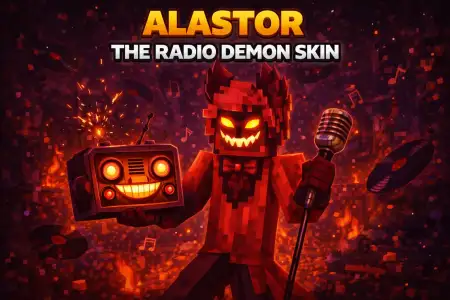
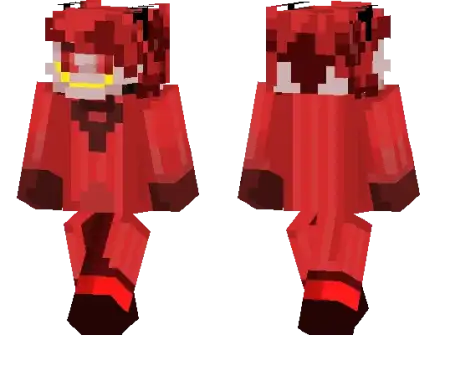
Alastor, The Radio Demon Skin mine-craft 16-01-2026, 14:56 806 Skins Alastor, The Radio Demon Skin is a character-style skin based on the Radio Demon from the Hazbin Hotel web series, made for players who like stepping into a recognizable persona instead of running another generic outfit. Itâs a simple swap that changes the mood of your sessions fast, especially if youâre into roleplay, themed servers, or just showing up with a look that stands out in a crowd.In survival, this kind of skin shines when you treat it like part of your worldâs âstory.â Walking into your base, trading with friends, or exploring at night feels different when youâre wearing a character identity instead of a random default vibe. If you play on multiplayer servers, Alastor, The Radio Demon Skin is the type of look that instantly signals âIâm here to roleplayâ without you typing a paragraph in chat. Itâs also a clean fit for co-op worlds where everyone picks a theme and commits, because you end up with a squad that actually looks like a cast, not a pile of mismatched armor skins.For practical use in Minecraft Bedrock, the best move is pairing the skin with a matching environment. Build a âradio stationâ style room in your base, make a small stage area for meetups, or set up a dark hallway entrance so your first appearance has some drama. If youâre doing PvE runs with friends, the skin adds personality to the boring partsâlike resource hauling or long cave walksâbecause youâre still âin characterâ even when nothing big is happening.If youâre recording clips or making screenshots, Alastor, The Radio Demon Skin works best with strong lighting contrasts: bright interiors for clean character shots, and nighttime travel for that creepy, theatrical energy. Keep it simple and let the identity do the workâAlastor, The Radio Demon Skin is all about showing up with a recognizable vibe, then letting your gameplay moments in Minecraft Bedrock turn it into something memorable.How to Install Skins in Minecraft Bedrock- Download a .png skin (64Ã64 or 128Ã128).- Open Minecraft Bedrock.- Go to Profile (hanger icon) â Edit Character.- Tap Owned â Import â Choose New Skin.- Select your .png file.- Pick a model: Classic (Steve) or Slim (Alex).- Confirm to equip and play.alastor-the-radio-demon_1_png.zip [2.38 Kb] (downloads: 27)
💬 Comments (0)
Login to leave a comment.
No comments yet. Be the first!