

Rainbow Cake Skin v1.0.0
Overview
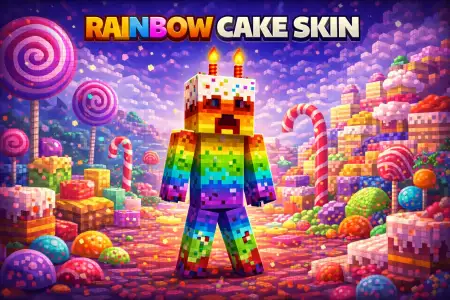
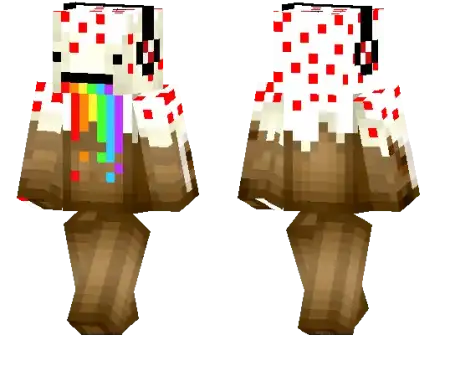
Rainbow Cake Skin mine-craft 19-01-2026, 15:10 571 Skins Rainbow Cake Skin is pure good vibes. The whole idea is simple: youâre basically bringing a rainbow dessert look into Minecraft Bedrock, and that makes your character feel instantly lighter and more playful the second you load in. Itâs the kind of skin that doesnât need lore or a deep theme to workâpeople see it and immediately get the vibe: youâre here to have fun, build something colorful, and not take the world too seriously.In survival, Rainbow Cake Skin is hilarious in the best way because it contrasts hard with the stressful parts of the game. Youâll be out there sprinting from mobs at night, scrambling for food, or digging through a sketchy cave⦠and your character looks like a walking celebration. That contrast makes normal grinding feel less boring, especially during long sessions where youâre just farming resources, expanding a base, or doing repetitive tasks. If youâre building, this skin fits perfectly with bright bases, cozy towns, theme parks, shops, and anything that leans colorful instead of grim.Multiplayer is where Rainbow Cake Skin really shines. Itâs super easy for friends to spot you in a crowd, and it makes you feel like the âparty memberâ of the groupâwhether youâre running minigames, hanging in a hub, or just roaming a server. It also works great for silly challenges: cake-themed builds, rainbow paths, or a âno serious armor fashionâ rule for a session. Even if youâre doing PvP practice, itâs kind of a flex to roll in looking cute and loud instead of edgy.Quick practical tip: if you want the skin to look its best, play in areas with strong lightingâopen fields, well-lit bases, or daytime explorationâbecause bright, colorful skins read cleaner when the environment isnât pitch dark. Rainbow Cake Skin is basically a walking mood boost for Minecraft Bedrock, perfect for builders, co-op worlds, and anyone who wants their character to feel like a celebration instead of another generic fighter.How to Install Skins in Minecraft Bedrock- Download a .png skin (64Ã64 or 128Ã128).- Open Minecraft Bedrock.- Go to Profile (hanger icon) â Edit Character.- Tap Owned â Import â Choose New Skin.- Select your .png file.- Pick a model: Classic (Steve) or Slim (Alex).- Confirm to equip and play.rainbow-cake_1_png.zip [4.02 Kb] (downloads: 20)
💬 Comments (0)
Login to leave a comment.
No comments yet. Be the first!