

Nice Man Skin v1.0.0
Overview
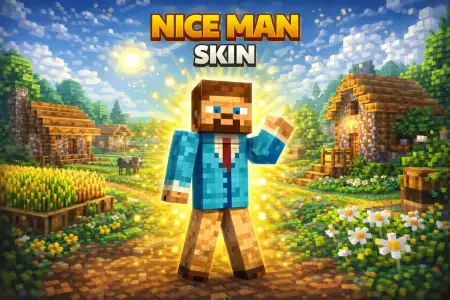
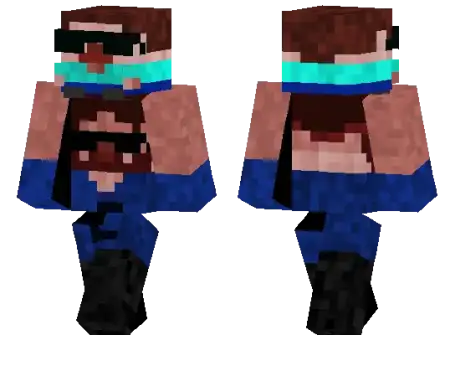
Nice Man Skin mine-craft 19-01-2026, 15:20 537 Skins Nice Man Skin is built around a straightforward idea: youâre playing as a very nice man, and heâs wearing a mask. That combo makes the skin feel both approachable and slightly secretive, which is a fun balance for normal gameplay. It doesnât force a big theme on your world, so you can drop it into survival, creative building, or multiplayer and it wonât feel weird.In survival, Nice Man Skin fits the âhelpful teammateâ role naturally, especially when youâre doing base work, farming, and supply runs. The mask adds a little edge without turning you into a full-on villain, so it works great for those nights where youâre out gathering resources and you donât want to look like another default character. If youâre the type who spends a lot of time in caves or traveling between spots, the masked look also feels right for that âquiet explorerâ vibe, even though itâs still a ânice manâ at the core.On servers, Nice Man Skin is solid because itâs easy for friends to recognize you, and it can match a bunch of different playstyles. You can be the builder whoâs always placing blocks and organizing storage, the co-op partner who shows up with extra food, or the player who hangs back and watches the chaos before jumping in. The mask makes it fun for casual roleplay tooânothing complicated, just that simple âwho is this dude really?â energy when you walk into a crowded spawn area or show up at someoneâs base.A practical way to get the most out of Nice Man Skin in Minecraft Bedrock is to lean into clean, everyday gameplay moments: building a cozy base, running errands between farms, helping friends gear up, and handling the boring parts of survival so the world stays smooth. Nice Man Skin works best when you keep it simple and consistent, because the whole charm is that friendly presence with a little mystery sitting right on top.How to Install Skins in Minecraft Bedrock- Download a .png skin (64Ã64 or 128Ã128).- Open Minecraft Bedrock.- Go to Profile (hanger icon) â Edit Character.- Tap Owned â Import â Choose New Skin.- Select your .png file.- Pick a model: Classic (Steve) or Slim (Alex).- Confirm to equip and play.nice-man_1_png.zip [4.45 Kb] (downloads: 3)
💬 Comments (0)
Login to leave a comment.
No comments yet. Be the first!