

Enderman Girl Skin v1.0.0
Overview
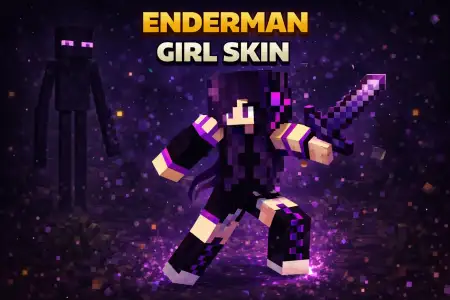
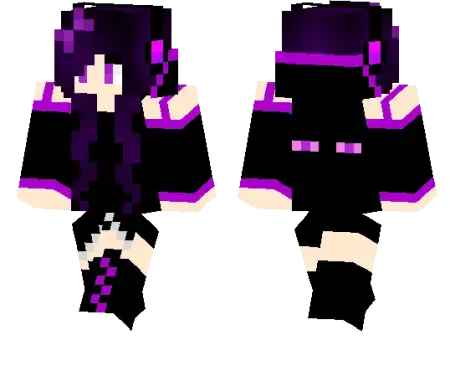
Enderman Girl Skin mine-craft 16-01-2026, 15:00 989 Skins Enderman Girl Skin is a simple, clean character skin built around one idea: a girl wearing a hoodie themed like an Enderman. Itâs a solid pick if you want something that feels âMinecraft-yâ without going full costume armor or looking like a meme. The Enderman hoodie concept is instantly recognizable, so even in a busy lobby or a chaotic survival session, people get the vibe right away.In survival, this skin works because itâs versatile. You can run it as your daily driver skinâmining, farming, building, whateverâand it still looks cool without needing a whole themed world to support it. It also fits the way a lot of players actually play Bedrock: hop in, grind resources, do a few adventures with friends, then chill at base. A hoodie-based skin blends into all of that naturally, and the Enderman theme adds that little edge, especially when youâre out exploring at night or dipping into dark caves.On multiplayer servers, Enderman Girl Skin is great for that âfriendly but not basicâ vibe. Itâs not trying too hard, but it still stands out compared to random defaults. If youâre playing with a squad, you can even coordinate themesâone friend runs an Enderman-style skin, another runs a Nether hoodie, another runs a creeper hoodieâso your group looks like an actual crew without needing matching uniforms.For screenshots and builds, the Enderman hoodie theme pairs really well with End-style projects. If youâre making a purple/black base corner, an End-themed room, or anything with moody lighting, the skin fits the scene naturally. And if youâre just playing normal Minecraft Bedrock survival, it still looks good in daylight and doesnât feel out of place. Enderman Girl Skin is basically a cozy character look with a touch of End energyâeasy to use anywhere, and it keeps your avatar looking stylish without being loud.How to Install Skins in Minecraft Bedrock- Download a .png skin (64Ã64 or 128Ã128).- Open Minecraft Bedrock.- Go to Profile (hanger icon) â Edit Character.- Tap Owned â Import â Choose New Skin.- Select your .png file.- Pick a model: Classic (Steve) or Slim (Alex).- Confirm to equip and play.enderman-girl_1_png.zip [1.91 Kb] (downloads: 68)
💬 Comments (0)
Login to leave a comment.
No comments yet. Be the first!