

Cute Mob Models: Skin Pack v1.0.0
Overview
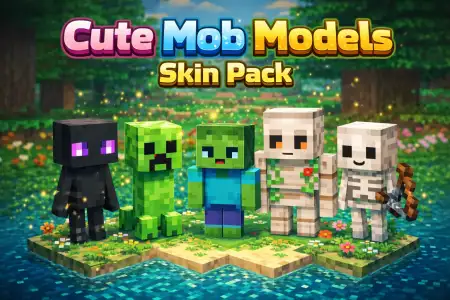
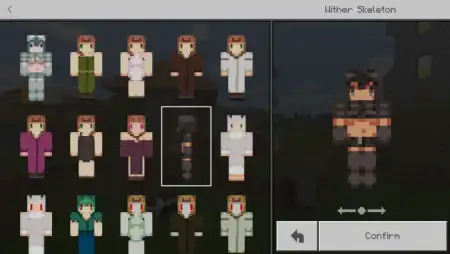
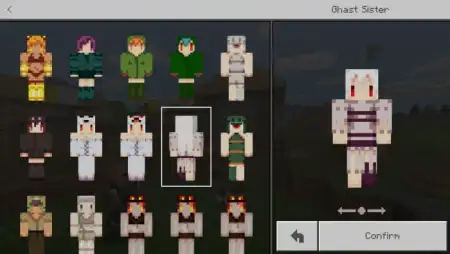
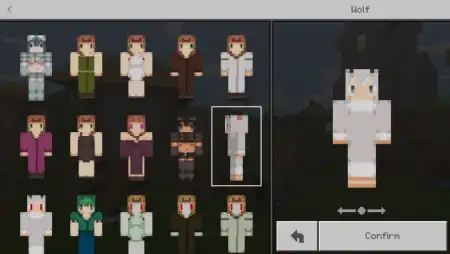
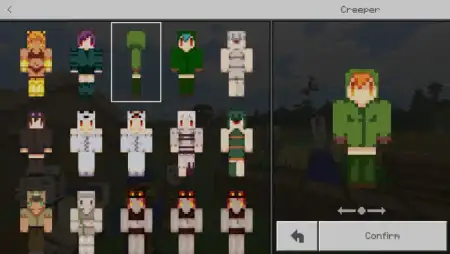
Cute Mob Models: Skin Pack mine-craft 22-02-2026, 14:57 752 Skins Cute Mob Models: Skin Pack is aimed at players who love the AT2 Mob Talker series and want to bring that âcute mobâ vibe into their Minecraft Bedrock sessions. The concept is pretty straightforward: you can be any mob you want to be from that series by using the skins in the pack. Itâs less about changing gameplay mechanics and more about giving you that fun identity switch where youâre running around as a recognizable mob character instead of a normal player skin.The creator also calls out something important so expectations stay clean: even though the pack is themed around cute mob models, it doesnât actually include models. Itâs a skin pack, not a model pack, so youâre getting the look through character skins rather than changing the mob geometry. That honesty is nice because it tells you exactly what youâre downloadingâno surprise âwhy donât they look 3D?â moment when you load in.In actual Minecraft Bedrock play, this kind of skin pack is perfect for multiplayer hangouts, roleplay, screenshots, and mini-games. Being a mob skin instantly changes the vibe of your group, especially if everyone picks different mobs and you turn it into a little âmob squadâ session. It also works great for Hide and Seek maps, because mob skins can blend with the environment in funny ways depending on the area and lighting, and it makes matches feel more like a themed event than random players chasing each other.Practical tip: if youâre using Cute Mob Models: Skin Pack with friends, pick skins that fit your map or activity. If youâre doing survival, choose mob skins that match your base theme so screenshots look clean. If youâre doing mini-games, pick a mix of bright and dark mobs so itâs not impossible to track whoâs who. Cute Mob Models: Skin Pack is basically a fan-friendly way to wear the AT2 Mob Talker cute mob vibe in Bedrockâsimple, fun, and all about looking the part.How to Install Skins in Minecraft Bedrock- Download a .png skin (64Ã64 or 128Ã128).- Open Minecraft Bedrock.- Go to Profile (hanger icon) â Edit Character.- Tap Owned â Import â Choose New Skin.- Select your .png file.- Pick a model: Classic (Steve) or Slim (Alex).- Confirm to equip and play.cmm-skin-pack.mcpack [73.43 Kb] (downloads: 50)
💬 Comments (0)
Login to leave a comment.
No comments yet. Be the first!