

The Bare Wardrobe Skin Pack v1.0.0
Overview
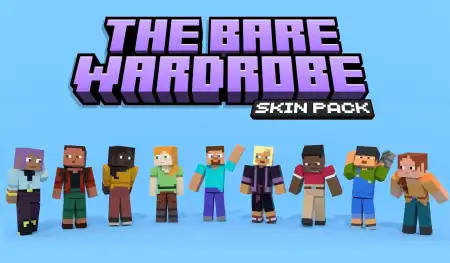
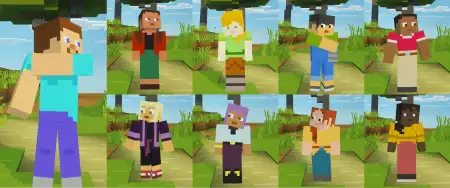
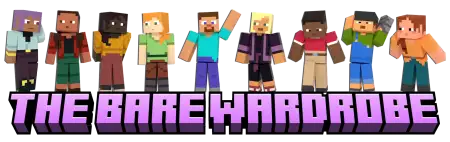
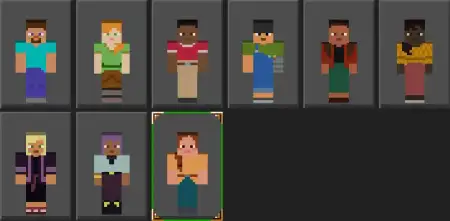
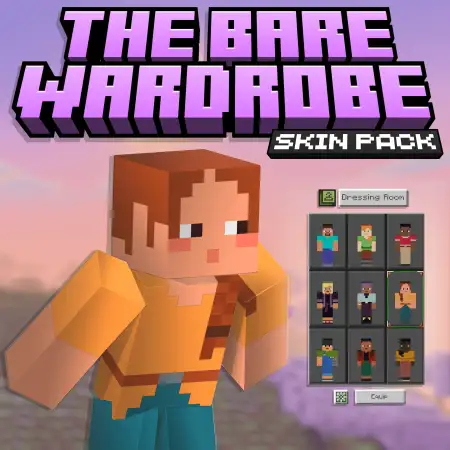
The Bare Wardrobe Skin Pack mine-craft 9-02-2026, 18:29 607 Skins The Bare Wardrobe Skin Pack leans into that classic trailer look where the characters feel expressive and alive, but the style stays simple and clean. Itâs not trying to overwhelm you with a million tiny patterns or crazy colors. Instead, itâs going for skins that look good in motion and feel natural in a normal world, which makes it an easy pick for everyday play.In Minecraft Bedrock, a clean skin style hits different because youâre constantly switching between bright daylight, dim caves, and warm base lighting. Skins that are âtoo muchâ can look messy fast, especially in shadows or when youâre sprinting and turning. With The Bare Wardrobe Skin Pack, the vibe is more readable and more consistent, so you still look like a real character instead of a blur of colors. Thatâs especially nice if youâre the type who plays a lot of survival and spends half your time doing practical stuff like mining runs, crop checks, and long travel routes.The âfull of life and expressionâ part is what makes it feel less bland. Even with a simple style, your character can still feel like theyâve got personality, which is huge for co-op worlds and server hangouts. Practical tip: if you play with friends, pick one skin and stick with it for a while so people actually recognize you instantly during chaos moments. It sounds small, but in crowded bases, night fights, or random group adventures, a consistent look makes you feel like part of the worldâs story instead of just another player model.This pack is also a solid choice if you like taking screenshots or recording clips, because the âcleanâ look tends to match almost any build palette. Whether youâre in a stone base, a forest cabin, or a big city project, you wonât clash with your surroundings. The Bare Wardrobe Skin Pack basically gives you that trailer-style character energy without forcing a specific theme, so you can drop it into any Minecraft Bedrock world and it still feels right.How to Install Skins in Minecraft Bedrock- Download a .png skin (64Ã64 or 128Ã128).- Open Minecraft Bedrock.- Go to Profile (hanger icon) â Edit Character.- Tap Owned â Import â Choose New Skin.- Select your .png file.- Pick a model: Classic (Steve) or Slim (Alex).- Confirm to equip and play.barebones-default-expressions.mcpack [10.19 Kb] (downloads: 13)
💬 Comments (0)
Login to leave a comment.
No comments yet. Be the first!