

Dripped Out Axolotls Skin Pack v1.0.0
Overview
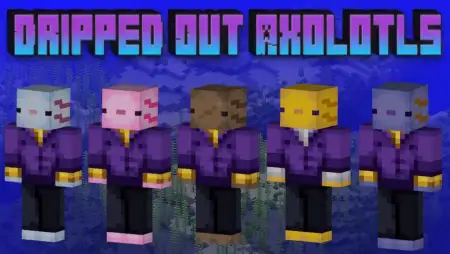
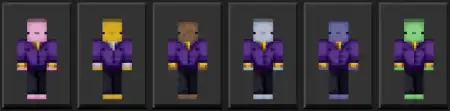
Dripped Out Axolotls Skin Pack mine-craft 1-10-2025, 11:50 711 Skins Dripped Out Axolotls Skin Pack â stylish axolotls in tailored fits for Minecraft Bedrock, ready to steal the spotlight in lobbies, raids, and photo ops. I swapped into the pink one, dove off a pier, and it just clicked: youâre not another default running around the docksâyouâre the host of tonightâs underwater gala. Each axolotl shows up in a crisp suit with its own vibe, so you can match your look to whatever youâre doing, from building a coral-side café to speed-clearing a monument with your crew.On servers, the skins read instantly at a distance, which is perfect for team identity. Call colors before a minigameâpink on support, light blue on scout duty, green running objectivesâthen hit start and watch the chaos in style. For survival runs, the brown or blue axolotl feels right at home in mangrove bases and river towns, and the light blue pops in icy biomes for screenshots. The yellow axolotlâs suit is intentionally a little different (design clash workaround), which actually helps when you want a âcaptainâ look for roleplay or tours. I like rotating skins mid-session to match the build palette; it turns progress pics into a clean, consistent set without touching a texture pack.You donât have to wrestle with settingsâjust equip a skin from the pack in the Minecraft Bedrock selector and go. Movement and combat feel normal; hitboxes and timing donât change, so you can sprint parkour lines or kite a raid without second-guessing your model. The real win is how good group shots turn out: six axolotls in suits lined up on a boardwalk, sunset behind them, looks like a poster. If your realm needs a little class without taking itself too seriously, Dripped Out Axolotls Skin Pack nails the vibeâcolorful, clean, and ready for any land adventure or underwater soirée you throw at it.How to Install Skins in Minecraft Bedrock- Download a .png skin (64Ã64 or 128Ã128).- Open Minecraft Bedrock.- Go to Profile (hanger icon) â Edit Character.- Tap Owned â Import â Choose New Skin.- Select your .png file.- Pick a model: Classic (Steve) or Slim (Alex).- Confirm to equip and play.dripped-out-axolotls.mcpack [13.09 Kb] (downloads: 50)
💬 Comments (0)
Login to leave a comment.
No comments yet. Be the first!