

Endergirl Skin v1.0.0
Overview
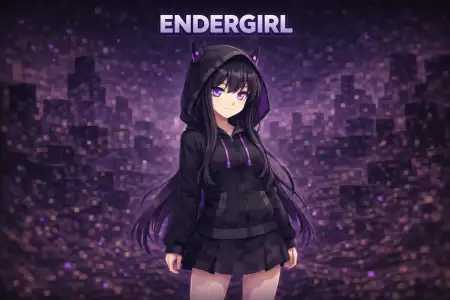
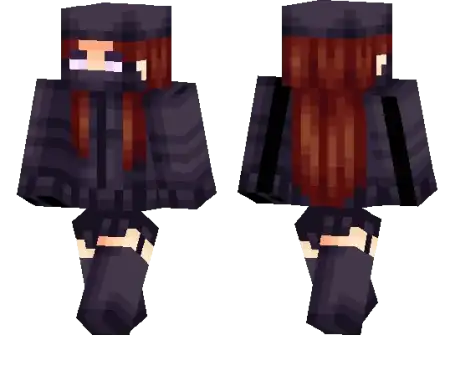
Endergirl Skin mine-craft 23-01-2026, 08:08 891 Skins Endergirl Skin is a solid pick if you like Ender aesthetics but still want a more casual, player-style outfit. Instead of being a straight-up Enderman copy, itâs a girl character wearing Ender clothes, which makes it feel more like a themed wardrobe than a costume. Thatâs perfect for players who want their skin to match darker buildsâEnd bases, purple-black interiors, spooky forestsâwithout looking like an NPC mob.On servers, Endergirl Skin stands out in a clean way. Ender colors are easy to spot, especially in night lighting or shadowy areas, and the theme is popular enough that people instantly get what youâre going for. Itâs also a nice fit for PvP lobbies because the design idea is simple and readable, so you donât get lost in a crowd of over-detailed skins.In survival, itâs the kind of skin that stays stylish through any stage of a world. Early game, it looks great while youâre running around unarmored. Late game, even with armor on, the Ender theme still matches the vibe when youâre heading into the End, raiding cities, or just flexing at your base. Endergirl Skin is basically âEnd style, but wearable.âHow to Install Skins in Minecraft Bedrock- Download a .png skin (64Ã64 or 128Ã128).- Open Minecraft Bedrock.- Go to Profile (hanger icon) â Edit Character.- Tap Owned â Import â Choose New Skin.- Select your .png file.- Pick a model: Classic (Steve) or Slim (Alex).- Confirm to equip and play.endergirl_1-1_png.zip [1.57 Kb] (downloads: 47)
💬 Comments (0)
Login to leave a comment.
No comments yet. Be the first!