

Zombot Skin v1.0.0
Overview
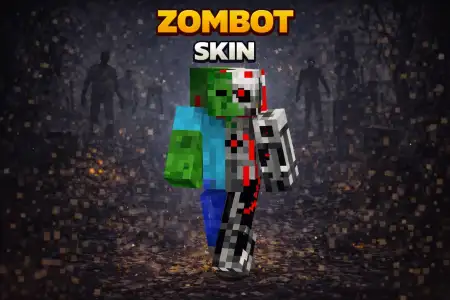
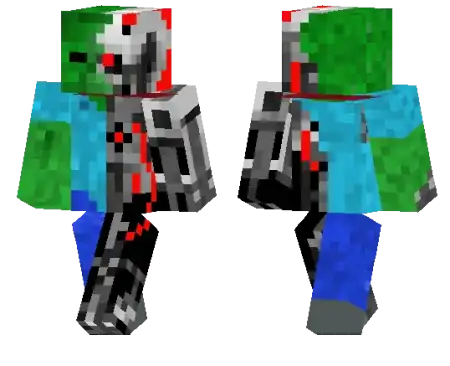
Zombot Skin mine-craft 23-01-2026, 19:05 534 Skins Zombot Skin is what you wear when you want to look like a zombie that got upgraded in a lab instead of cured. The robot zombie concept is instantly cool because itâs half horror, half sci-fi, so it fits both creepy worlds and futuristic city maps without feeling out of place. You get that âunstoppableâ energy, like you donât breathe, donât sleep, and definitely donât care about fall damage.On multiplayer servers, Zombot Skin stands out because itâs easy to read and it looks different from the usual âjust a zombieâ skins. Itâs perfect for PvP because you already look like a boss mob before the fight even starts, and itâs great for minigames where you want a memorable look people can spot fast.In survival, Zombot Skin pairs really well with industrial builds, underground bunkers, and redstone-heavy bases. Running caves and fighting mobs feels extra fitting when your character already looks like a machine made for combat. If you want a skin thatâs creepy, mechanical, and instantly recognizable, Zombot Skin is a clean main.How to Install Skins in Minecraft Bedrock- Download a .png skin (64Ã64 or 128Ã128).- Open Minecraft Bedrock.- Go to Profile (hanger icon) â Edit Character.- Tap Owned â Import â Choose New Skin.- Select your .png file.- Pick a model: Classic (Steve) or Slim (Alex).- Confirm to equip and play.zombot_1_png.zip [5.23 Kb] (downloads: 41)
💬 Comments (0)
Login to leave a comment.
No comments yet. Be the first!