

Stealth Skin v1.0.0
Overview
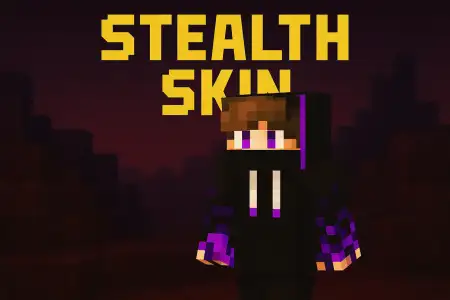
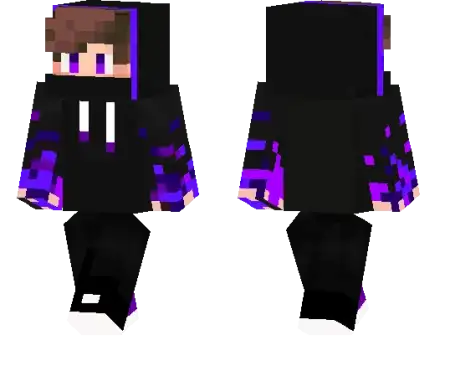
Stealth Skin mine-craft 20-11-2025, 11:14 664 Skins Stealth Skin is built for the type of player who doesnât always rush in swinging, but waits, watches, and picks the perfect moment to move. Instead of bright colors and loud patterns, this skin leans into a darker, muted style that feels right at home in caves, forests at night, or the back alleys of a big player-made city. Itâs the kind of look you pick when you want people to double-take and say, âWait, where did you come from?âWith Stealth Skin, your whole vibe shifts toward quiet plays and careful movement. It fits really well if youâre the one scouting enemy bases on a server, sneaking through someoneâs walls during friendly âspy games,â or running late-night missions on a Realm while everyone else is distracted. It also looks clean in PvP arenas and minigames where you like to hug corners, dodge fights, and only enter when it matters.Even though Stealth Skin feels sneaky, itâs still purely cosmetic â your hitbox, reach, and movement stay completely normal. Other players can see and hit you like always; the only difference is the mood you bring into the world. If you enjoy playing the shadow in the background instead of the loud main character, this skin fits that playstyle perfectly.How to Install Skins in Minecraft Bedrock- Download a .png skin (64Ã64 or 128Ã128).- Open Minecraft Bedrock.- Go to Profile (hanger icon) â Edit Character.- Tap Owned â Import â Choose New Skin.- Select your .png file.- Pick a model: Classic (Steve) or Slim (Alex).- Confirm to equip and play.stealth-skin_1_png.zip [3.54 Kb] (downloads: 37)
💬 Comments (0)
Login to leave a comment.
No comments yet. Be the first!