

Shark Boy Skin v1.0.0
Overview
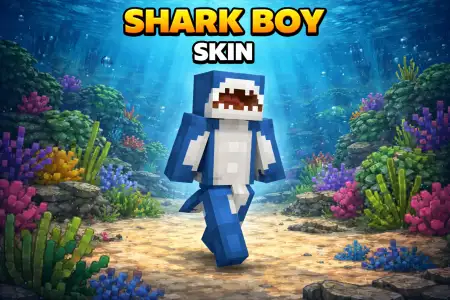
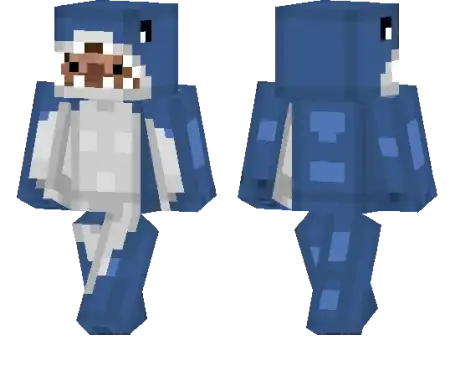
Shark Boy Skin mine-craft 23-01-2026, 20:24 629 Skins Shark Boy Skin is a solid pick if you want something ocean-themed without going full âgiant mascot costume.â The name alone sets the vibe: youâre basically a shark-inspired character, so it fits instantly with anything water-related like coastal towns, pirate docks, underwater bases, or just living that boat-life in a survival world.On multiplayer servers, Shark Boy Skin stands out in a simple way. People clock the theme fast, and itâs easy for friends to spot you during chaosâwhether youâre running minigames or getting jumped in a random PvP zone. It also works great for roleplay worlds because you can lean into the identity however you want: ocean guardian, beach-town kid, or just the dude who always shows up when someone mentions the sea.In survival, Shark Boy Skin is fun because it matches your gameplay loop if youâre always exploring shorelines, hunting treasure, or building around rivers and reefs. Even when youâre doing normal grind stuff like mining and farming, Shark Boy Skin still feels like a signature look, not just another random outfit.How to Install Skins in Minecraft Bedrock- Download a .png skin (64Ã64 or 128Ã128).- Open Minecraft Bedrock.- Go to Profile (hanger icon) â Edit Character.- Tap Owned â Import â Choose New Skin.- Select your .png file.- Pick a model: Classic (Steve) or Slim (Alex).- Confirm to equip and play.shark-boy_thumb_png.zip [10.49 Kb] (downloads: 56)
💬 Comments (0)
Login to leave a comment.
No comments yet. Be the first!