

McD Worker's Skin Pack v1.0.0

Overview
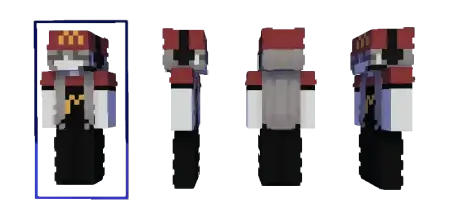
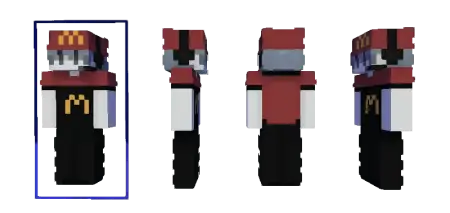
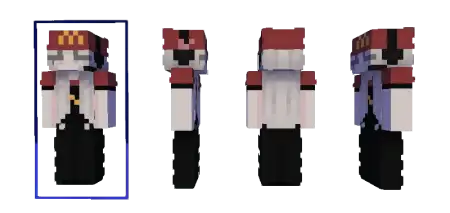
McD Worker's Skin Pack mine-craft 2-12-2025, 17:42 849 Skins McD Worker's Skin Pack is for that moment when your world suddenly needs a burger place at spawn. Instead of showing up in another hoodie or armor set, you roll in wearing a full fast-food uniform and instantly look like youâre on shift. Hats, shirts, and work-ready outfits sell the vibe right away, so when people walk past your build, they know exactly whoâs running the counter before you even say a word in chat.In survival, itâs actually a fun way to give yourself a âjobâ inside the world. Build a small roadside restaurant, drop some smokers and furnaces in the back as grills, set up item frames as menu boards, and stand behind the counter in your McD-style uniform taking âordersâ from your friends. On realms or servers, this pack works great for full city roleplayâone person runs the fast-food spot, others run banks, shops, or apartments, and your uniforms make your role clear without needing any plugins.The skins donât try to be edgy or overcomplicated; theyâre clean, bright work outfits that fit right into malls, food courts, highway rest stops, or spawn hubs. They pop nicely with shaders and modern texture packs, especially in big city maps with roads and traffic builds. Whether youâre handing out cooked beef and bread as âburgers,â running a delivery mini-game, or just standing behind a counter yelling about âno pickles,â McD Worker's Skin Pack locks in that fast-food worker energy and makes your world feel a little more like a real, chaotic city.How to Install Skins in Minecraft Bedrock- Download a .png skin (64Ã64 or 128Ã128).- Open Minecraft Bedrock.- Go to Profile (hanger icon) â Edit Character.- Tap Owned â Import â Choose New Skin.- Select your .png file.- Pick a model: Classic (Steve) or Slim (Alex).- Confirm to equip and play.mc-worker-v1_0.mcpack [6.01 Kb] (downloads: 134)
💬 Comments (0)
Login to leave a comment.
No comments yet. Be the first!