

LCV - Neon Pack v1.0.0
Overview
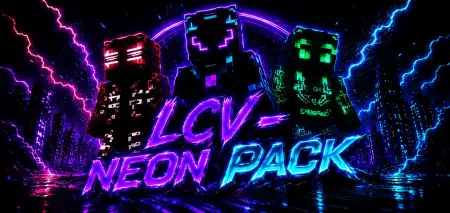
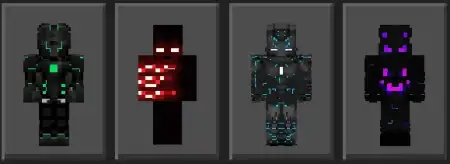
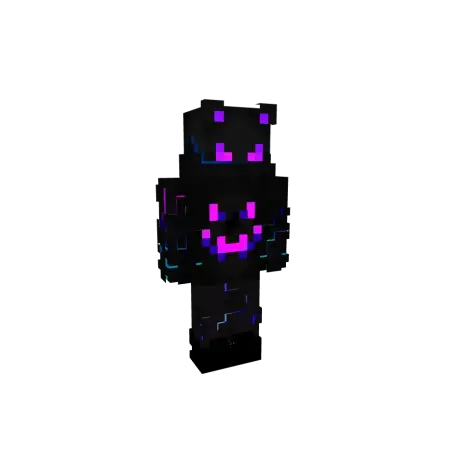
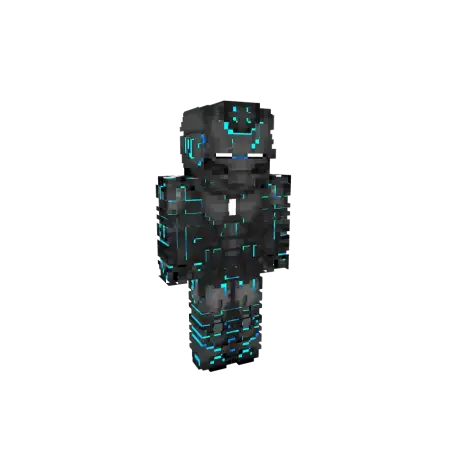
LCV - Neon Pack mine-craft 6-07-2026, 06:22 396 Skins The LCV Neon Skin Pack hooks your Minecraft Bedrock locker up with four glowing character models that easily grab attention on any server. If you want a flashy aesthetic without dealing with messy textures, this quick drop is exactly what you need.Running around a massive multiplayer hub in a default outfit is basically a crime at this point. When you are queuing up for sweaty BedWars matches or just hanging out in a community SMP, having a solid look makes a massive difference. The LCV Neon Pack delivers four distinct, high-contrast designs that pop perfectly against dark environments. Whether you are bridging across the void or exploring a massive cave system, these glowing custom MCPE skins look incredibly clean.Standard character customization options on Bedrock have historically suffered from stiff designs and boring color schemes that make it nearly impossible to stand out in high-traffic multiplayer hubs. This custom skin collection shifts the entire meta by introducing four distinct, high-voltage models dripping with luminous color lines and sharp streetwear aesthetics. Whether you are racing through parkour maps or hanging out in custom faction bases, the glowing trims ensure your character commands attention the second you load into a match.The engineering behind these player skins is exceptionally lightweight, ensuring zero drag on your mobile device or console frame rates during chaotic server events. The asset files drop effortlessly into your active game directories without requiring messy experimental toggles, script injections, or complicated software overrides. Every single model features crisp color contrast that pops against dark underground tunnels and bright daytime horizons alike, giving you that distinct competitive edge when you want to look unique.What makes this specific Minecraft skin pack download worth grabbing is the overall simplicity. The creator did not overcomplicate the layouts with too much visual noise or weird pixel shading. Instead, they stuck to a sleek, dark base paired with bright, vibrant neon accents that genuinely stand out on your monitor. Since the bundle gives you a few different options, you and your regular trio can easily coordinate a matching squad aesthetic before you load into a custom PvP map.These custom Bedrock skins render perfectly across mobile, console, and PC, meaning you will not catch any annoying visual bugs during combat. If you are tired of blending into the background and want to upgrade your daily rotation, grab this neon Minecraft skin download and lock in your new style.Quick guide: How to install this Minecraft skinpackDownloaded the .mcpack file? Here is exactly how to get it into your game depending on what device you are using right now.- On Windows or Android: Just click or tap the downloaded file twice. Minecraft will open up on its own and load the skins immediately.- On iPhone or iPad: Save the file, open your Files app, and hold your finger on it. Hit Share, select Minecraft from the list, and the game will handle the rest.To put the skins on, just open Minecraft, head over to the Dressing Room (Profile), click on Classic Skins on the left, find this pack under Owned, and tap Equip.lcvneonsquad.mcpack [18.84 Kb] (downloads: 46)
💬 Comments (0)
Login to leave a comment.
No comments yet. Be the first!