

Hoodie Enderman Skin v1.0.0
Overview
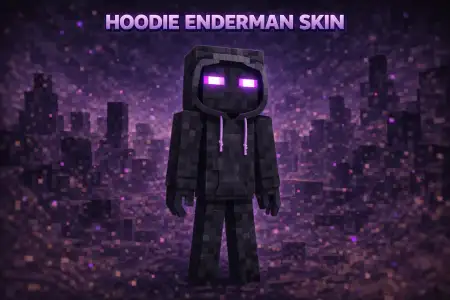
Hoodie Enderman Skin mine-craft 22-01-2026, 23:30 698 Skins Hoodie Enderman Skin is basically what happens when you take the classic Enderman silhouette and make it feel like an actual player character instead of a mob. You still get that instantly recognizable tall, dark Enderman look, but the hoodie adds personality, like your character is just chilling at spawn while still looking low-key intimidating.This skin works really well on multiplayer servers because Enderman skins are easy to spot from far away, and the hoodie detail makes it stand out from the million other âplain Endermanâ edits. Itâs also a solid PvP pick, since the look stays clean and readable without a bunch of noisy patterns. Youâll look sharp in duels, but you wonât feel like a walking neon billboard either.In survival, Hoodie Enderman Skin fits pretty much any playstyle. Whether youâre grinding caves, building a base, or exploring at night, the Enderman theme always matches the gameâs darker moments, and the hoodie makes it feel more modern and casual. If you want an Enderman skin with extra style that still stays simple and recognizable, Hoodie Enderman Skin is an easy main.How to Install Skins in Minecraft Bedrock- Download a .png skin (64Ã64 or 128Ã128).- Open Minecraft Bedrock.- Go to Profile (hanger icon) â Edit Character.- Tap Owned â Import â Choose New Skin.- Select your .png file.- Pick a model: Classic (Steve) or Slim (Alex).- Confirm to equip and play.hoodie-enderman_1_png.zip [2.9 Kb] (downloads: 35)
💬 Comments (0)
Login to leave a comment.
No comments yet. Be the first!