

Dummy Skin Pack v1.0.0
Overview
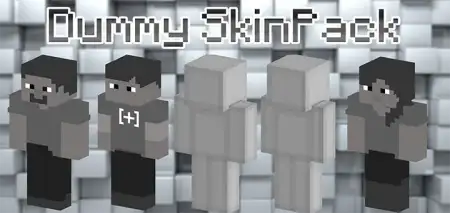
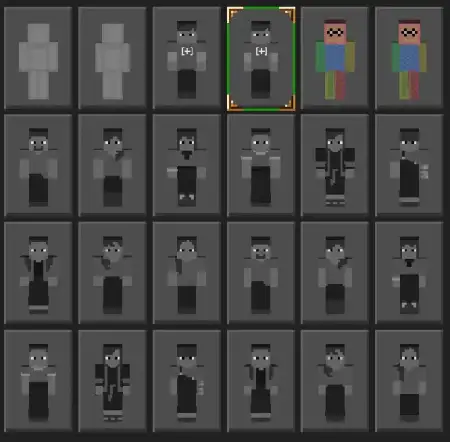
Dummy Skin Pack mine-craft 26-09-2025, 19:23 780 Skins Ender Bro Skin Pack â a collection of End-flavored looks that makes Minecraft Bedrock feel like you never left the islands beyond the portal. Think deep blacks, violet trims, and that signature End glow that pops in caves and on rooftops. Youâre swapping into roles that fit the dimensionâs vibe: a resilient Ender Knight for frontline pushes, a shimmering Ender Mage when you want arcane energy, and a cosmic Ender Traveler built for long treks across the void. Most of the skins lean purple for obvious reasons, and it just worksâthe palette reads clean from a distance, even with armor on.In survival, the pack slots straight into late-game loops. Roll Ender Knight for dragon nights and anchor a crystal break while your squad cleans up the perch. Switch to Ender Mage when youâre brewing, enchanting, or running Elytra routes between End cities; the look sells the fantasy while you grind shulkers and loot. On realm meetups, I like rotating everyone through different End rolesâknight on tower defense, mage on utility, traveler scouting outer islandsâso the screenshots come out looking like a proper expedition.For PvP and minigames, the skins give instant team identity. Full purple-black squad on a Bedwars bridge? Youâre unmistakable, and callouts stay crisp when fights get messy. City maps and hub builds also benefit: patrol a portal plaza in matching Ender fits, stage âdimension guardâ role-play, then hop to parkour or arena nights without changing the theme. Swapping is quick in the dressing room, so you can match your role to the plan in seconds.If you want your sessions to carry the Endâs mystique without leaving the overworld behind, Ender Bro Skin Pack nails it. The looks are bold, readable, and built for Minecraft Bedrockâperfect for dragon raids, void-side adventures, and any night you want the world to feel a little more cosmic.How to Install Skins in Minecraft Bedrock- Download a .png skin (64Ã64 or 128Ã128).- Open Minecraft Bedrock.- Go to Profile (hanger icon) â Edit Character.- Tap Owned â Import â Choose New Skin.- Select your .png file.- Pick a model: Classic (Steve) or Slim (Alex).- Confirm to equip and play.dummy-skin-pack.mcpack [24.8 Kb] (downloads: 35)
💬 Comments (0)
Login to leave a comment.
No comments yet. Be the first!