

Chickens In Hoodies Skin Pack v1.0.0
Overview
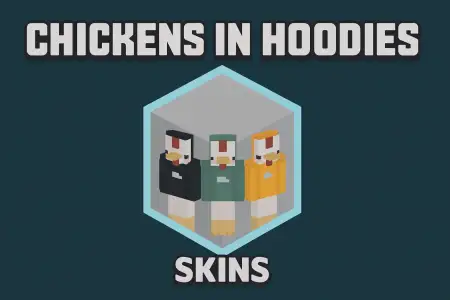
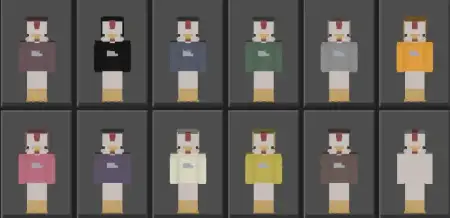
Chickens In Hoodies Skin Pack mine-craft 2-12-2025, 04:28 697 Skins Chickens In Hoodies Skin Pack leans all the way into the joke and makes it stylish. Instead of another basic player in a hoodie, youâre literally a chicken in one â beak, feathers, and all, wrapped in a clean, stylized hoodie that looks surprisingly good in screenshots. The whole pack revolves around that one idea, but each of the twelve skins pushes it in a slightly different direction so your character never feels like a copy of someone elseâs.On survival worlds and Realms, these skins are perfect if youâre the kind of player who loves dumb humor but still wants a consistent identity. Seeing a tiny hoodie chicken running around a mega base, mining in full netherite, or leading raids in the End hits that perfect âIâm goofy but Iâm also stackedâ energy. In villages, farms, or cozy starter houses, they fit right into the scenery â like youâre the mascot that somehow learned how to swing a pickaxe.On servers and minigames, the pack really shines because it gives your group a theme without forcing everyone into the exact same model. You can roll in as a whole flock of hoodie chickens with slightly different styles and instantly stand out in lobbies, hubs, or PvP arenas. Whether youâre recording content, playing with friends, or just vibing solo, Chickens In Hoodies Skin Pack adds that mix of cuteness and comedy that makes every death screen, victory pose, and group screenshot a little more memorable.How to Install Skins in Minecraft Bedrock- Download a .png skin (64Ã64 or 128Ã128).- Open Minecraft Bedrock.- Go to Profile (hanger icon) â Edit Character.- Tap Owned â Import â Choose New Skin.- Select your .png file.- Pick a model: Classic (Steve) or Slim (Alex).- Confirm to equip and play.chicken-in-hoodies-by-obleuish.mcpack [18.52 Kb] (downloads: 68)
💬 Comments (0)
Login to leave a comment.
No comments yet. Be the first!