

Pinky Girls Skin Pack v1.0.0
Overview
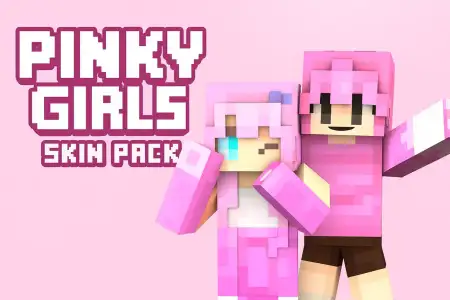
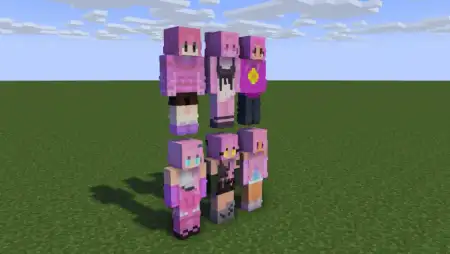
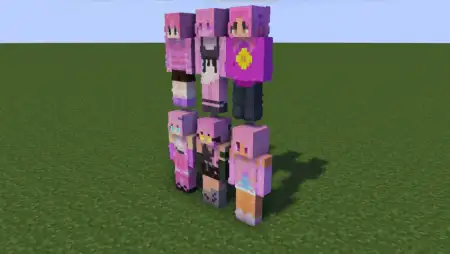
Pinky Girls Skin Pack mine-craft 18-11-2025, 10:36 1 027 Skins Pinky Girls Skin Pack is all about soft colors, cozy vibes, and a squad of pink-obsessed girls you can bring straight into your Minecraft worlds. Instead of another generic skin you forget in five minutes, this pack gives you a small cast of named characters with their own style, perfect for anyone who loves building cute bases, hanging out on friendsâ worlds, or just matching skins with the squad.Youâve got Fifi, Kiki, Lace, Lolly, Mochi, and Nana leading the way, each with a different flavor of âgirlyâ energy. It feels really natural to turn them into characters in your world: maybe Nana runs the bakery in your survival village, Mochi is the chaotic explorer who always gets lost in caves, and Lace is the one who never leaves the decorating chest. The pack leans into pink and soft tones, so it matches super well with pastel houses, cherry grove builds, or modern city roleplay servers.Because Pinky Girls Skin Pack only changes how you look, it works anywhere you normally play â survival, creative, Realms, or casual servers. Your hitbox and gameplay stay vanilla, so PvP, parkour, and minigames are still fair. If you like matching your skin to your aesthetic and building a little story around your character, this pack fits right into that style.How to Install Skins in Minecraft Bedrock- Download a .png skin (64Ã64 or 128Ã128).- Open Minecraft Bedrock.- Go to Profile (hanger icon) â Edit Character.- Tap Owned â Import â Choose New Skin.- Select your .png file.- Pick a model: Classic (Steve) or Slim (Alex).- Confirm to equip and play.pinky-girls-skin-pack.mcpack [17.65 Kb] (downloads: 76)
💬 Comments (0)
Login to leave a comment.
No comments yet. Be the first!