

Animation fun Skin Pack v1.0.0

Overview
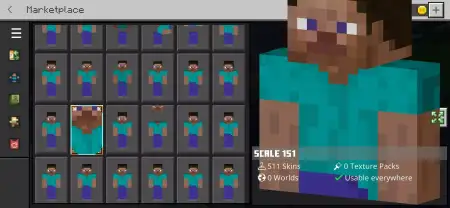
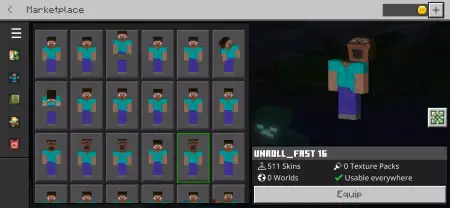
Animation fun Skin Pack mine-craft 9-01-2026, 12:32 1 838 Skins Animafted Fun Skin Pack is basically a âSteve multiverseâ pack, and itâs made for players who get bored of wearing one skin for weeks. The core idea is the Steve Skinpack: over 500 different Steve skins, and the big twist is that each one has its own custom animation. So itâs not just a pile of recolors where only the outfit changesâthis pack is selling the feeling that your character comes to life differently depending on which Steve you pick. Running, jumping, sneaking, fighting⦠the pack frames it like every skin has its own vibe in motion, and thatâs what makes it feel fresh instead of repetitive.In a normal Minecraft Bedrock session, skins are usually just cosmetic. You pick one, you forget it, and the gameplay is the same. This pack tries to make the skin choice part of the fun because the animations are the hook. Itâs perfect for players who swap skins constantly, for creators who want variety on camera, or for friend groups where everyone wants to show up looking like a different âversionâ of the same character. With 500+ options, you can run themed days tooâclassic Steve one day, weird variants the nextâwithout ever feeling like youâve run out of choices.The best way to enjoy Animafted Fun Skin Pack is to treat it like a rotation instead of picking one and locking in forever. Use a more âseriousâ Steve when youâre grinding survival and doing long cave runs, then swap to something quirky when youâre messing around on a server or doing minigames. The pack is built for that âendless funâ loop where youâre constantly discovering another skin you didnât notice before. And because itâs still Steve-based, it keeps a consistent identity even while youâre switchingâlike your character is the same idea, just remixed a thousand ways.If you want pure variety and you like the idea of your character feeling more animated and lively while you play Minecraft Bedrock, Animafted Fun Skin Pack is exactly that: a massive Steve skin library (500+ skins) built around custom animation flavor and nonstop options.How to Install Skins in Minecraft Bedrock- Download a .png skin (64Ã64 or 128Ã128).- Open Minecraft Bedrock.- Go to Profile (hanger icon) â Edit Character.- Tap Owned â Import â Choose New Skin.- Select your .png file.- Pick a model: Classic (Steve) or Slim (Alex).- Confirm to equip and play.animation_fun_made_by_prototbh.mcpack [14.49 Kb] (downloads: 62)
💬 Comments (0)
Login to leave a comment.
No comments yet. Be the first!