

Rainbow Mask Skin v1.0.0
Overview
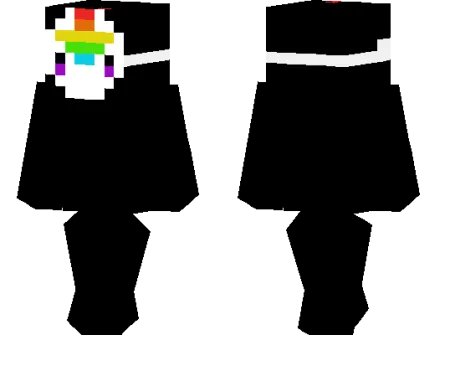
Rainbow Mask Skin mine-craft 24-02-2026, 10:31 467 Skins Rainbow Mask Skin is the kind of skin that gets noticed right away. The main idea is simpleâa character with a rainbow maskâbut thatâs exactly why it works so well in Minecraft Bedrock. It gives your player a strong visual theme without feeling too busy, so you get a bright, memorable look that still fits normal gameplay.In survival, Rainbow Mask Skin is a fun choice when you want your character to feel more playful than serious. It looks great while exploring, building colorful bases, or just running around with friends, and it stands out nicely in screenshots without needing any extra effects. If your world has bright blocks, pixel art, or creative builds, the rainbow style fits the vibe really well.Rainbow Mask Skin also works perfectly for multiplayer because itâs easy to recognize in a crowd. On servers, minigames, or PvP lobbies, a clean mask design helps your skin stay visible and memorable. If you want a simple but stylish cosmetic with a colorful personality, Rainbow Mask Skin is a solid pick to keep in your Minecraft Bedrock skin rotation.How to Install Skins in Minecraft Bedrock- Download a .png skin (64Ã64 or 128Ã128).- Open Minecraft Bedrock.- Go to Profile (hanger icon) â Edit Character.- Tap Owned â Import â Choose New Skin.- Select your .png file.- Pick a model: Classic (Steve) or Slim (Alex).- Confirm to equip and play.rainbow-mask_1_png.zip [1.3 Kb] (downloads: 21)
💬 Comments (0)
Login to leave a comment.
No comments yet. Be the first!