

Realism Visuals – Shader v1.0.0

Overview
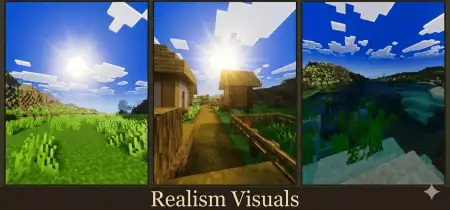
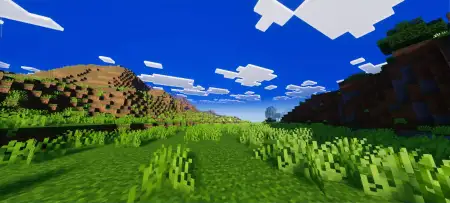
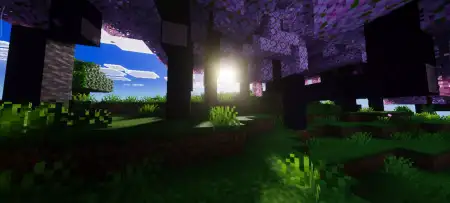
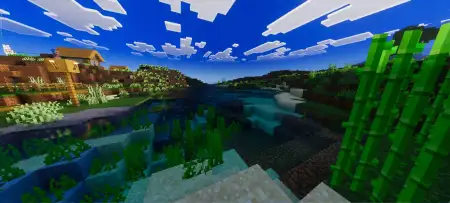
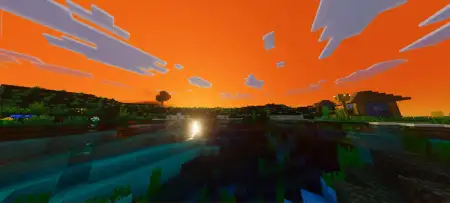
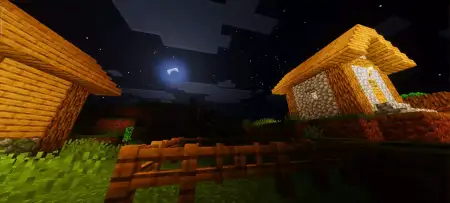
Realism Visuals â Shader mine-craft Today, 01:21 349 Shaders Realism Visuals - realistic shaders with better colors, sky appearance, lighting and realistic nature and sky. Dull, washed-out terrain and flat lighting have held Minecraft Bedrock back for years, but the Realism Visuals Shader shatters that plastic look by saturating your biomes with cinematic sunlight, dynamic water effects, and rich environmental depth.Load into any fresh survival seed on vanilla settings, and the world can feel weirdly sterile. The grass looks faded, noon lighting blows out surface details without adding any genuine warmth, and water bodies resemble giant tubs of blue gelatine. The hardest part about picking a shader to fix this mess is that half the packs in the community overcorrect into an eye-straining disasterâblinding bloom during daylight, and pitch-black caverns where you can't even see a creeper walking right up to your boots. This graphics pack dodges that nonsense by building its visual identity around balanced tone-mapping and clean environmental immersion.The immediate flex hits the moment the sun breaks over the horizon. Instead of standard flat illumination, mornings and late afternoons cut across your terrain with warm, angled god rays that filter through tree canopies. Forest foliage stops looking like a collection of pixelated green boxes, gaining believable depth as soft, contact-style shadows ground each trunk and leaf cluster. Sunset transitions hit like something out of a premium RPG, throwing amber, coral, and deep purple gradients across an expansive skybox that makes hanging out on your balcony base feel genuinely epic.Head toward the nearest shoreline, and the water rendering instantly proves its worth. The opaque blue sludge of standard Bedrock gets swapped for crystal-clear, transparent tides that showcase fluid surface ripples catching dynamic sunlight glints. You can stand on a coastal cliff or paddle a boat across an ocean trench and scout out drowned ruins, kelp forests, and coral reefs with surgical clarity. Under overcast skies or during afternoon storms, rain slicks the landscape with a subtle wet sheen, making dirt pathways, stone bricks, and coastal sand feel authentically damp without turning into distracting mirrors.Exploring underground doesnât mean sacrificing your sanity, either. Placed light sources do real work here. Wall-mounted torches, hanging lanterns, and campfires throw rich, warm halos that blend smoothly into cave corridors rather than cutting off in jagged circles. Deepslate tunnels retain their moody, high-tension atmosphere, yet you maintain enough ambient clarity to spot exposed iron veins, avoid steep drops into underground ravines, and keep tabs on hostile mobs stalking through the dark.Performance stays snappy across the board, which is a massive relief for anyone tired of shaders turning their device into a miniature space heater. By steering clear of unoptimized post-processing bloat and clunky custom scripts, the rendering pipeline keeps camera movement smooth and touch or controller inputs razor-sharp. You won't suffer from nasty frame dips or camera jitter while sprinting across crowded terrain or clutching water-bucket drops.Getting it running on your setup takes zero hassle. Grab the
.mcpack file, tap or click it to trigger the automated Bedrock import, slide it straight to the top of your active global resources, and hop into your favorite seed. Because it functions strictly as a client-side visual upgrade, it won't tamper with vanilla mob farms, redstone contraptions, or survival achievements. If you want your worlds to trade clinical default textures for warm, atmospheric brilliance, locking the Realism Visuals Shader into your client loadout is an instant win.Installation:- Download Shader;- Open the downloaded .mcpack to install;- Select texture in settings;- Done.realism-visuals-v1_5-.mcpack [461.35 Kb] (downloads: 16)💬 Comments (0)
Login to leave a comment.
No comments yet. Be the first!