

PVP Collections: Dark Skin Pack v1.0.0
Overview
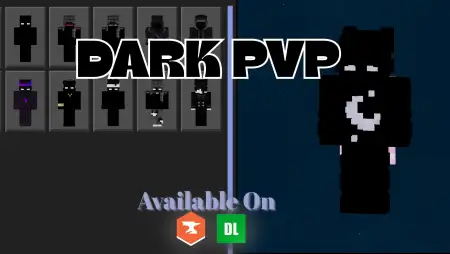
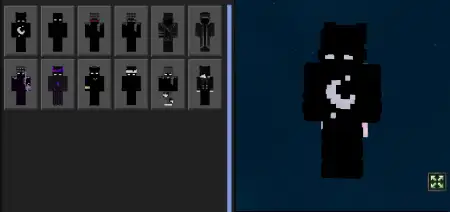
PVP Collections: Dark Skin Pack mine-craft 9-02-2026, 16:44 1 486 Skins PVP Collections: Dark Skin Pack is meant for players who actually care how a skin performs in real combat, not just how it looks in a menu. The collection is dark-themed, but itâs not trying to be âall black and invisibleâ in a cheap way. It focuses on high-contrast designs and clean visuals, which is exactly what you want when fights are moving fast and youâre constantly snapping your camera, strafing, and tracking targets through messy terrain.In Minecraft Bedrock Edition PvP, visibility is everything. A skin that blends too hard can look cool in screenshots but turn into a confusing blur in motion, especially in low light, rain, or crowded arenas. This pack being âoptimized for visibilityâ means the designs are made to stay readable, so you can still tell what youâre doing and where your character is in chaotic moments. Practical tip: pick one skin and stick with it for a while so your muscle memory matches what youâre seeing on screen. When youâre locked into a look you recognize instantly, movement and positioning feel cleaner.The âdark collectionâ vibe also fits a ton of PvP styles. If youâre into aggressive rush fights, the crisp contrast makes your character pop while you close distance. If youâre more of a patient player, it still looks clean while you hold angles and wait for openings. It also matches most popular PvP build palettesâdark stone arenas, nether-themed maps, night-time fightsâwithout clashing with the background.PVP Collections: Dark Skin Pack is especially good for servers and Realms where people take duels seriously, because youâre getting skins that are designed for competitive readability instead of random flashy outfits. If you want a PvP-ready look that stays clear in motion and still keeps that dark aesthetic, PVP Collections: Dark Skin Pack is a solid Bedrock Edition pick.How to Install Skins in Minecraft Bedrock- Download a .png skin (64Ã64 or 128Ã128).- Open Minecraft Bedrock.- Go to Profile (hanger icon) â Edit Character.- Tap Owned â Import â Choose New Skin.- Select your .png file.- Pick a model: Classic (Steve) or Slim (Alex).- Confirm to equip and play.pvp-collections-dark.mcpack [24.91 Kb] (downloads: 157)
💬 Comments (0)
Login to leave a comment.
No comments yet. Be the first!