

Nether Armor Robot Skin v1.0.0
Overview
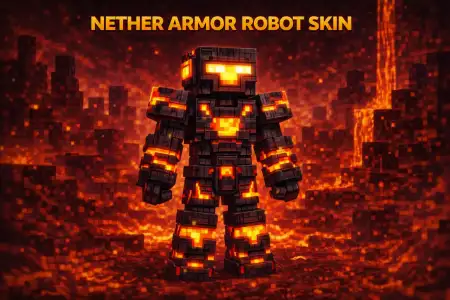
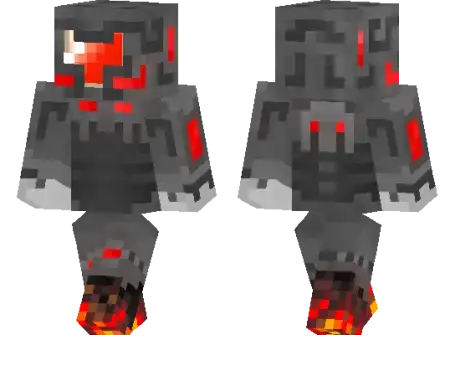
Nether Armor Robot Skin mine-craft 23-01-2026, 09:30 751 Skins Nether Armor Robot Skin is for players who want their character to look like they were engineered to survive the hottest parts of the game. The whole ârobot with lava proof gearâ theme instantly screams Nether energy, like youâre a walking heat-shield suit thatâs ready to charge into basalt deltas, sprint across lava lakes, and come back with ancient debris without flinching.On survival worlds, this skin pairs insanely well with Nether-focused gameplay. Even if your actual gear is still early-game, the look makes you feel like a late-game explorer who lives in fortresses and treats blaze spawners like free XP. Itâs also a great skin for building Nether bases, industrial factories, or sci-fi strongholds, because the robotic vibe matches anything mechanical, dark, and fiery.In multiplayer, Nether Armor Robot Skin stands out in lobbies because itâs a clean concept thatâs easy to read from a distance. It also works great for roleplay, especially if your crew has themes like âNether squad,â ârobot faction,â or âlava raiders.â If you want a skin that looks tough, heat-ready, and different from the usual humanoid outfits, Nether Armor Robot Skin is a strong main.How to Install Skins in Minecraft Bedrock- Download a .png skin (64Ã64 or 128Ã128).- Open Minecraft Bedrock.- Go to Profile (hanger icon) â Edit Character.- Tap Owned â Import â Choose New Skin.- Select your .png file.- Pick a model: Classic (Steve) or Slim (Alex).- Confirm to equip and play.nether-armor-robot_1_png.zip [5.1 Kb] (downloads: 35)
💬 Comments (0)
Login to leave a comment.
No comments yet. Be the first!