

Neon PVP Skin Pack v1.0.0
Overview
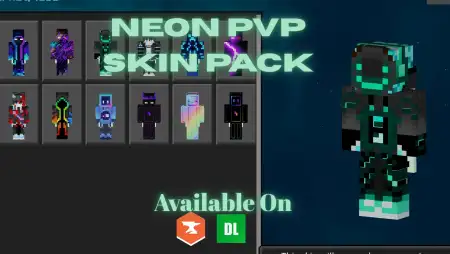
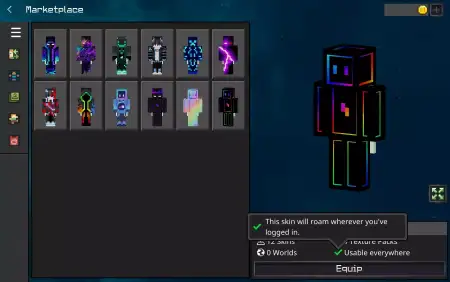
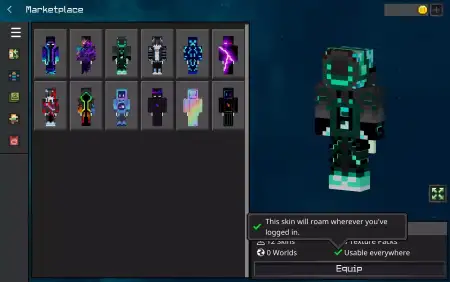
Neon PVP Skin Pack mine-craft 12-01-2026, 08:51 1 250 Skins Neon PVP Skin Pack is for players who actually care about seeing whatâs happening when the hits start flying. The whole design focus is visibility and readability, so the skins pop in combat with sharp neon accents and glowing details, but they donât get messy with extra clutter. In Minecraft Bedrock PvP, that matters more than people thinkâwhen youâre strafing, swapping items, and trying to track movement, a clean look just feels smoother.What I like about the vibe here is that itâs high-contrast on purpose. These skins are meant to stand out on screen so you donât lose your characterâs shape in a dark map, a crowded arena, or a chaotic server fight. The neon accents give you a crisp outline in motion, and because theyâre not overly detailed, youâre not staring at tiny patterns that turn into visual noise mid-duel. Neon PVP Skin Pack is basically âstyle that doesnât mess with your focus.âIn duels, this kind of design helps your gameplay feel more locked in. When youâre doing fast-paced combat, you want your character to read cleanly in third-person moments, replays, or clips, and you want the skin to look sharp when youâre moving at full speed. If youâre the type to grind PvP practice, keep the same Neon PVP Skin Pack skin for a while so it becomes your âmain,â then switch it up when you want a reset without changing the whole vibe.Small practical tip: these skins shine when your fights happen in mixed lightingâindoors, under trees, in nighttime arenasâbecause the contrast and glowing details are built to stay visible. On busy servers, that extra clarity can keep your look recognizable in a crowd, which is nice when youâre jumping between matches or recording highlights. Neon PVP Skin Pack is a simple idea done right: clean, readable skins for Minecraft Bedrock PvP that look sharp and feel built for speed.How to Install Skins in Minecraft Bedrock- Download a .png skin (64Ã64 or 128Ã128).- Open Minecraft Bedrock.- Go to Profile (hanger icon) â Edit Character.- Tap Owned â Import â Choose New Skin.- Select your .png file.- Pick a model: Classic (Steve) or Slim (Alex).- Confirm to equip and play.neon-pvp-skin-pack.mcpack [55.7 Kb] (downloads: 222)
💬 Comments (0)
Login to leave a comment.
No comments yet. Be the first!