

LCV - Knight Skin Pack v1.0.0
Overview
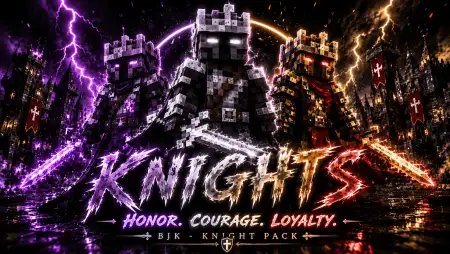
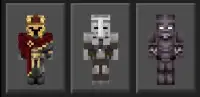
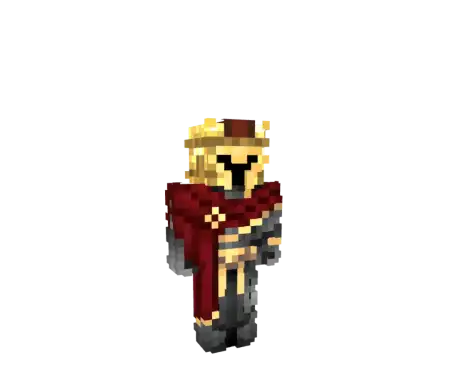
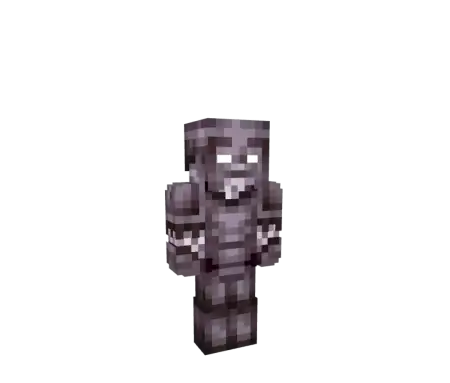
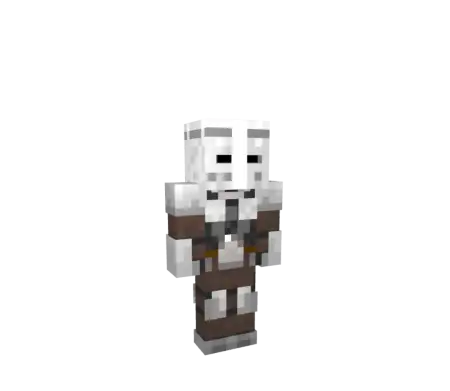
LCV - Knight Skin Pack mine-craft 10-07-2026, 00:57 340 Skins The LCV Knight Skin Pack brings three highly detailed, medieval-themed outfits to Bedrock, making it easy to ditch your casual clothes for some heavy battle armor. It is a straightforward, solid upgrade for anyone building a castle base or running a fantasy roleplay server.Letâs face it, finding decent medieval knight skins that don't just look like a blurry gray mess is surprisingly annoying. Most creators either overcomplicate the pixel art or try to force weird 3D geometry that completely breaks your immersion during a PvP match. This custom MCPE skin pack keeps things incredibly clean by focusing on sharp textures and realistic metallic shading. You get three distinct colorways, giving your character the look of a seasoned warrior who just stepped off a battlefield.The pixel shading on these medieval armor cosmetics is what separates them from the usual junk you find scrolling through community forums. The texture artists utilized the outer geometry layers to give the helmets actual bulk, making your avatar look like an absolute tank charging across a bridge in SkyWars or dominating a localized Bedwars tournament. Whether you want to rep a dark, battle-scarred paladin vibe with tarnished steel, or you prefer the pristine white-and-gold aesthetic of a royal guard, the roster has your squad covered. Having your entire clan log in wearing matching heraldry completely shifts the intimidation factor of your server. You stop looking like a group of random scavengers and instantly become a unified military force.Beyond the pure intimidation factor, these PvP character models are built structurally sound for the modern Bedrock engine. Slapping on random downloaded outfits often triggers that infuriating bug where your arm disappears during a sprint jump, or worse, your hitboxes feel awkwardly bloated. Because this pack utilizes native skin formatting, it sidesteps those technical disasters entirely. It plugs directly into your Dressing Room interface, ensuring zero lag spikes or frame drops during high-density combat. Your console buddies and mobile teammates will see your pristine plate armor render the exact millisecond you enter their chunk.It works flawlessly across all Bedrock platforms, whether you're hosting a Realm on your PC or joining a server from a phone. If you're tired of seeing everyone walk around the lobby in neon hoodies and want something with real presence, dropping these armor designs into your character creator is a no-brainer.Quick guide: How to install this Minecraft skinpackDownloaded the .mcpack file? Here is exactly how to get it into your game depending on what device you are using right now.- On Windows or Android: Just click or tap the downloaded file twice. Minecraft will open up on its own and load the skins immediately.- On iPhone or iPad: Save the file, open your Files app, and hold your finger on it. Hit Share, select Minecraft from the list, and the game will handle the rest.To put the skins on, just open Minecraft, head over to the Dressing Room (Profile), click on Classic Skins on the left, find this pack under Owned, and tap Equip.lcvknightpack.mcpack [13.12 Kb] (downloads: 26)
💬 Comments (0)
Login to leave a comment.
No comments yet. Be the first!