

Kitties!1! Skinpack v1.0.0
Overview
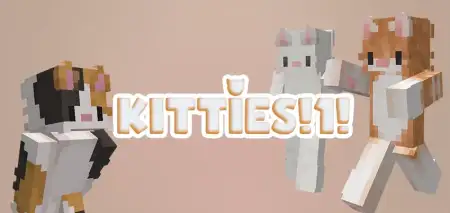
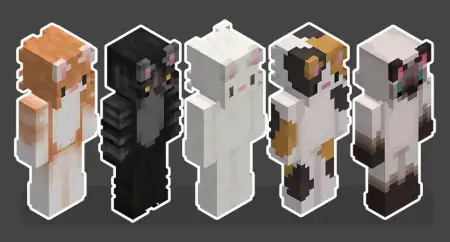
Kitties!1! Skinpack mine-craft 11-02-2026, 14:43 709 Skins Kitties!1! Skinpack is all about simple variety and good vibes. It comes with five kitten skins, each in a different color, so youâre not locked into one look forever. If you like switching your style depending on the world youâre playing or the people youâre with, this pack makes that easy without being complicated or overloaded.In normal survival, skins donât change your stats, but they totally change how the game feels. A kitten skin gives your character that playful, chill energy, which is honestly perfect for long building sessions, cozy base worlds, or just messing around with friends on a realm. And since youâve got five color options, you can pick one that matches your base themeâgo brighter for a fun city build, darker for a stealthy vibe, or just rotate whenever you get bored.Kitties!1! Skinpack also works great in multiplayer because it makes your identity obvious. If your friend group always loses track of whoâs who during chaotic fights or big mining trips, having distinct kitten colors helps everyone spot each other fast. Itâs also fun for roleplay worlds where you want a consistent âteam lookâ without everyone wearing the exact same thingâeach person can grab a different kitten color and still feel like part of the same crew.Practical tip: pick a âmainâ kitten skin for your survival world so screenshots and builds feel consistent, then use the other colors as mood swaps when you start new projects. Kitties!1! Skinpack is basically a quick, clean way to give your character more personality in Minecraft Bedrock without needing anything else.How to Install Skins in Minecraft Bedrock- Download a .png skin (64Ã64 or 128Ã128).- Open Minecraft Bedrock.- Go to Profile (hanger icon) â Edit Character.- Tap Owned â Import â Choose New Skin.- Select your .png file.- Pick a model: Classic (Steve) or Slim (Alex).- Confirm to equip and play.kitties1-by-heui.mcpack [11.44 Kb] (downloads: 104)
💬 Comments (0)
Login to leave a comment.
No comments yet. Be the first!