

Hide Nametags Mod / Addon v1.0.0
Overview
/ Addons / Mods 1.21
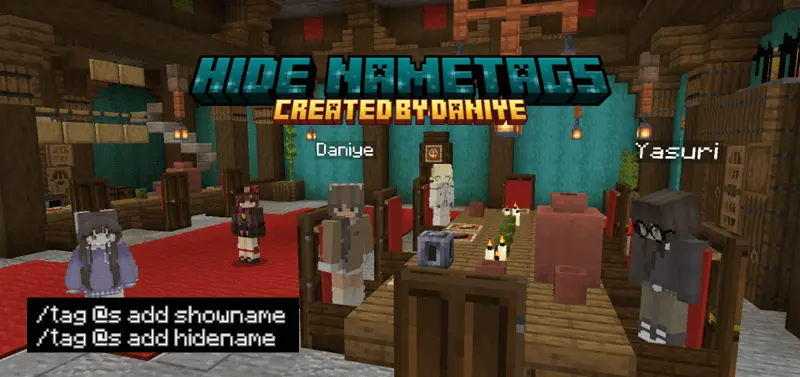
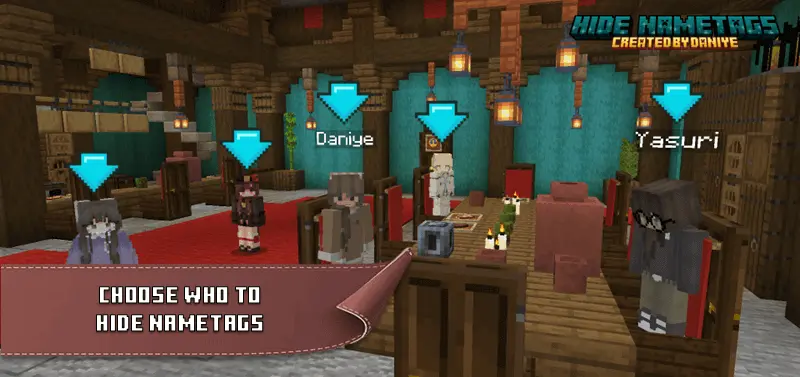
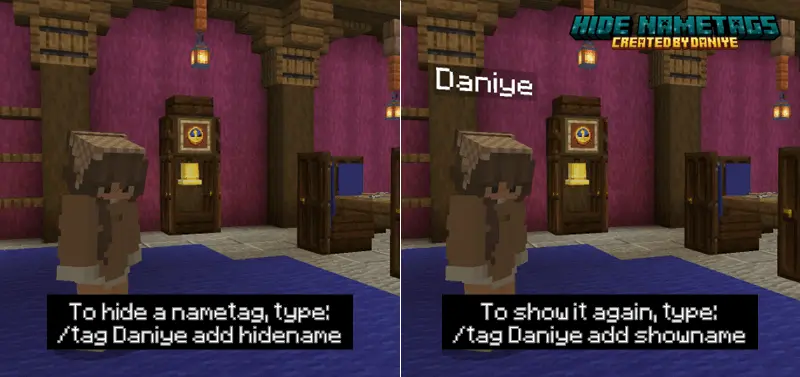
Hide Nametags Minecraft mod — the moment your Minecraft Bedrock worlds stop looking like a theme park and start feeling like a real hunt. Flip it on and the floating billboards vanish. You can wipe name tags for everyone in one go, or target specific players with a command when you’re setting up a scenario. The difference hits instantly: you’re reading footsteps, armor shine, and silhouettes instead of chasing glowing text through leaves.
I’ve run this on stealth raids and it changes the meta in a good way. No more calling out a tag through a wall—now you actually clear rooms, bait sounds, and hold corners like you mean it. In minigames, hide-and-seek goes from “got you, I saw your tag” to genuine tension where a single crouch behind a fence can win the round. Manhunt gets sweatier too; the runner can break line of sight and really disappear, while hunters have to track smart instead of tunnel-visioning on a name.
For role-play and content, Hide Nametags Minecraft mod is a lifesaver. City maps feel alive when players aren’t wearing neon signs, and your screenshots/shorts look cinematic with clean frames and zero UI clutter. Need to spotlight a host or actor? Just leave their tag visible and blank out the rest with the command. It’s simple, it’s flexible, and it doesn’t mess with the core loop—mine, build, fight—just removes the floating spoilers so play reads on movement and sound.
If you’re after stealthier PvP, better immersion, or cleaner captures on Minecraft Bedrock, Hide Nametags Minecraft mod nails it: global off when you want pure realism, per-player control when you’re staging a scene, and a whole new respect for shadows when the hunt begins.
Installation Mod:
- Download the .mcaddon / .mcpack;
- Open the file to import into the game;
- In World Settings → Resource Packs and Behavior Packs, enable it (turn on Experiments if needed);
- Have fun!
Hide Nametags Minecraft mod — the moment your Minecraft Bedrock worlds stop looking like a theme park and start feeling like a real hunt. Flip it on and the floating billboards vanish. You can wipe name tags for everyone in one go, or target specific players with a command when you’re setting up a scenario. The difference hits instantly: you’re reading footsteps, armor shine, and silhouettes instead of chasing glowing text through leaves.
I’ve run this on stealth raids and it changes the meta in a good way. No more calling out a tag through a wall—now you actually clear rooms, bait sounds, and hold corners like you mean it. In minigames, hide-and-seek goes from “got you, I saw your tag” to genuine tension where a single crouch behind a fence can win the round. Manhunt gets sweatier too; the runner can break line of sight and really disappear, while hunters have to track smart instead of tunnel-visioning on a name.
For role-play and content, Hide Nametags Minecraft mod is a lifesaver. City maps feel alive when players aren’t wearing neon signs, and your screenshots/shorts look cinematic with clean frames and zero UI clutter. Need to spotlight a host or actor? Just leave their tag visible and blank out the rest with the command. It’s simple, it’s flexible, and it doesn’t mess with the core loop—mine, build, fight—just removes the floating spoilers so play reads on movement and sound.
If you’re after stealthier PvP, better immersion, or cleaner captures on Minecraft Bedrock, Hide Nametags Minecraft mod nails it: global off when you want pure realism, per-player control when you’re staging a scene, and a whole new respect for shadows when the hunt begins.
Installation Mod:
- Download the .mcaddon / .mcpack;
- Open the file to import into the game;
- In World Settings → Resource Packs and Behavior Packs, enable it (turn on Experiments if needed);
- Have fun!
💬 Comments (0)
Login to leave a comment.
No comments yet. Be the first!