

Glowing Disco Skin Pack v1.0.0
Overview
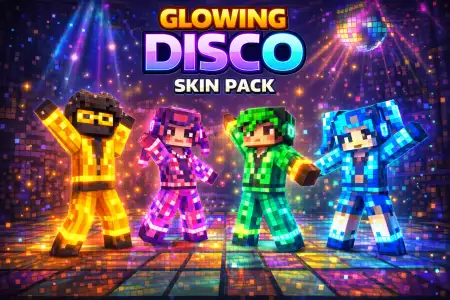
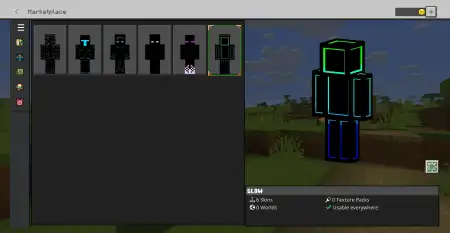
Glowing Disco Skin Pack mine-craft 9-02-2026, 09:39 662 Skins Glowing Disco Skin Pack is made for players who want their character to pop the second they load into a world or a server lobby. The whole identity here is glowâsix different skins that lean into that neon, night-friendly look where youâre basically a walking light show. The names alone set the mood: RGB sounds like pure color chaos, Cyber Knight gives off that armored sci-fi energy, Neon Phantom feels stealthy but still bright, Shadow is the darker contrast pick, Ender-Man is the mysterious âvoid vibeâ option, and Glow is called out as the creatorâs personal favorite, so itâs probably meant to be the signature look of the pack.In Minecraft Bedrock gameplay, glowing-style skins are perfect for multiplayer and mini-game servers because theyâre instantly recognizable. You donât have to say a wordâpeople notice you. That also makes them fun in co-op worlds where everyone has their own identity and you want your character to feel like âthe one with the neon fit.â Practical tip: if you play a lot of PvP or movement games, pick the skin that feels the cleanest to track on your screen. âGlowâ or âCyber Knightâ style names usually suggest a stronger silhouette, which can feel better in fast motion compared to something thatâs too visually noisy.These skins also shine (literally) in nighttime survival and cave exploring because your characterâs look matches the environment. If youâre building a modern base, an underground hub, or anything with dark blocks and colored lighting, Glowing Disco Skin Pack fits that aesthetic naturally. Another practical tip: use these skins when youâre recording clips or taking screenshots in dark buildsâneon characters make scenes feel more alive, especially when youâre standing in the middle of a big room and you want your character to be the focal point.The pack also mentions that some skins come from the creatorâs other skin packs, so itâs like a âbest ofâ collection rather than six totally unrelated designs. If you like having options that range from loud RGB energy to darker, moodier glow looks, Glowing Disco Skin Pack gives you that variety while keeping the theme consistent.How to Install Skins in Minecraft Bedrock- Download a .png skin (64Ã64 or 128Ã128).- Open Minecraft Bedrock.- Go to Profile (hanger icon) â Edit Character.- Tap Owned â Import â Choose New Skin.- Select your .png file.- Pick a model: Classic (Steve) or Slim (Alex).- Confirm to equip and play.glowing-disco-pack.mcpack [8.03 Kb] (downloads: 28)
💬 Comments (0)
Login to leave a comment.
No comments yet. Be the first!