

Frog Hats (Default Skins) Skin Pack v1.0.0
Overview
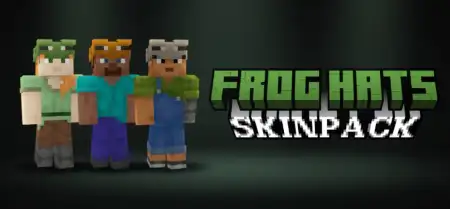
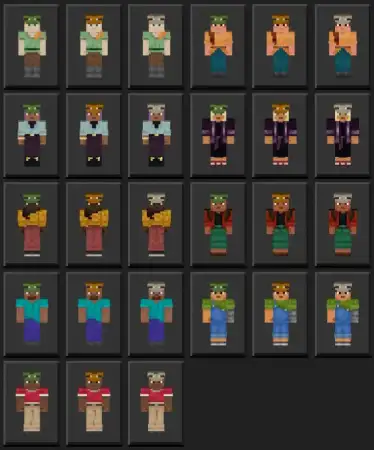
Frog Hats (Default Skins) Skin Pack mine-craft 1-10-2025, 19:11 672 Skins Frog Hats (Default Skins) â a clean, feel-good skin pack that dresses the nine default Minecraft Bedrock characters in adorable amphibian drip. Youâre getting 27 total looks: each character comes in three vibesâcold frog for snowy treks, temperate frog for everyday adventuring, and tropical frog for jungle runs and beach towns. Itâs pure cosmetics, zero gameplay changes, which means you keep achievements and muscle memory while your squad looks coordinated for once.I threw on tropical Steve and the whole realm felt brighter. Thatâs the magic here: you pick a biome mood and match your fit. Rolling a new survival seed in a snow spawn? Cold frog Alex nails the icy hike to the starter cave. Setting up a mangrove base with friends? Tropical Noor fits right in on the boardwalk. The temperate styles are your all-roundersâperfect for mining sessions, village raids, and âone more nightâ build grinds when you forget to sleep. Because every default character has all three variants, itâs easy to assign roles on servers: Zuri (cold) handles mountain scouting, Ari (temperate) keeps the farm humming, Efe (tropical) charts river routes.For creators, this pack is screenshot gold. Group shots read instantlyâcolor cues sell the scene without clashing with vanilla texturesâand thumbnails look tidy without extra editing. PvP and minigames benefit too: stick to one palette per team and callouts get faster. Equipping is dead simple: open the Bedrock skin selector, choose your character, then pick cold/temp/trop and jump in. Thatâs itâno behavior packs, no setup mazeâjust 27 frog-hat fits that make your world feel friendlier, your lobbies more recognizable, and your photos way more âsave to gallery.â If you want cozy style that plays nice with everyday Bedrock, Frog Hats (Default Skins) is a lock.How to Install Skins in Minecraft Bedrock- Download a .png skin (64Ã64 or 128Ã128).- Open Minecraft Bedrock.- Go to Profile (hanger icon) â Edit Character.- Tap Owned â Import â Choose New Skin.- Select your .png file.- Pick a model: Classic (Steve) or Slim (Alex).- Confirm to equip and play.frog-hats-skinpack.mcpack [114.93 Kb] (downloads: 19)
💬 Comments (0)
Login to leave a comment.
No comments yet. Be the first!