

Ender Seer Skin v1.0.0
Overview
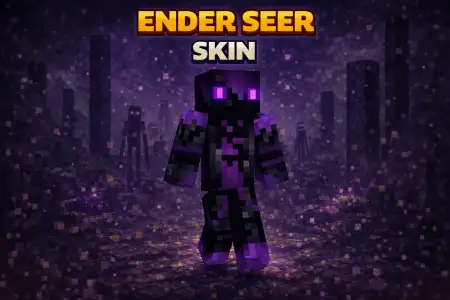
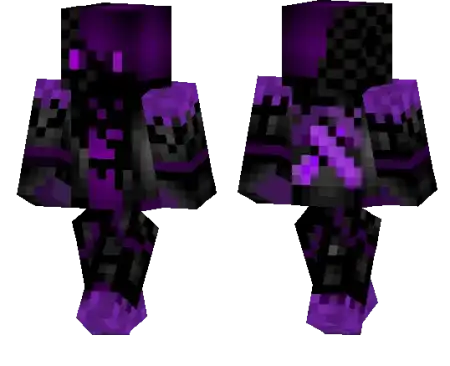
Ender Seer Skin mine-craft 23-01-2026, 18:18 600 Skins Ender Seer Skin feels like youâre not just another player running around with a swordâyouâre a rumor that somehow walked out of The End and started watching the Overworld. Itâs the kind of skin that instantly sets a tone, especially in darker biomes, deep caves, and any build that leans into purple-black End vibes.On multiplayer servers, Ender Seer Skin is perfect for that quiet intimidation style. You can stand on a cliff looking down at a town, show up to a trading hall like you already know everyoneâs secrets, or just wander spawn without talking and still feel like youâve got lore. Itâs also a clean roleplay pick if you want to play a âlegendâ character without needing flashy details to sell it.In survival, this skin hits hardest when youâre doing End-related stuff or prepping for it. End cities, shulker runs, and late-game base upgrades feel extra fitting when your character already looks like they belong to that dimension. If you want a skin thatâs simple, eerie, and story-heavy, Ender Seer Skin nails that distant End legend vibe.How to Install Skins in Minecraft Bedrock- Download a .png skin (64Ã64 or 128Ã128).- Open Minecraft Bedrock.- Go to Profile (hanger icon) â Edit Character.- Tap Owned â Import â Choose New Skin.- Select your .png file.- Pick a model: Classic (Steve) or Slim (Alex).- Confirm to equip and play.ender-seer_1_png.zip [3.55 Kb] (downloads: 33)
💬 Comments (0)
Login to leave a comment.
No comments yet. Be the first!