

Duplicarium Mod / Addon v1.0.0
Overview
/ Addons / Mods 1.21
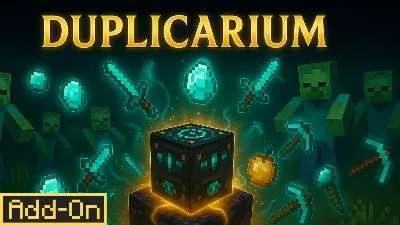
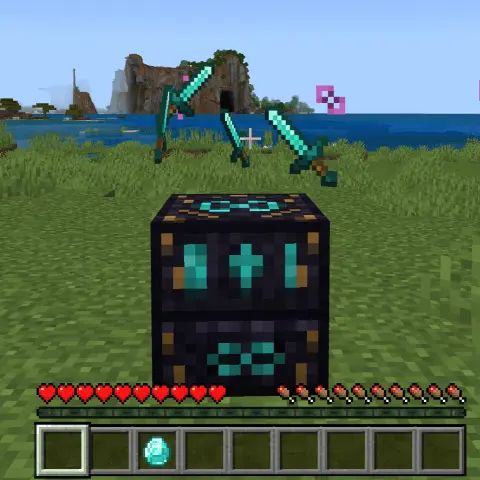
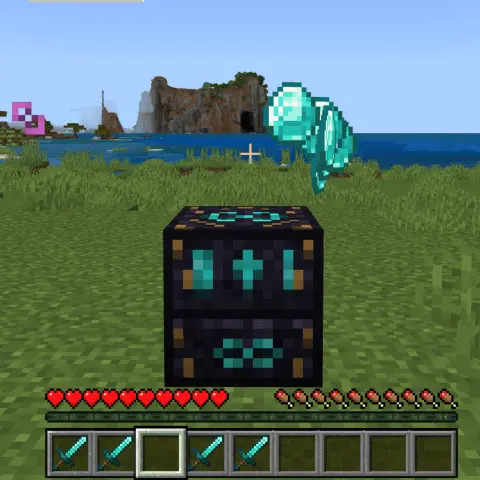
Duplicarium mod is a one-block duplication engine for Minecraft Bedrock that copies any item, mob, or object you set on it, then eventually self-destructs if you push it too far. That’s the hook: drop something on the plate (or lure a mob onto it), hear the mystical chime, watch the particles spin up, and a perfect clone pops into your world. It feels like wizard tech—loud, flashy, and dangerously convenient.
In practice, it changes your pacing immediately. Early game, I used it in quick bursts to duplicate bread, coal, and torches so I could sprint through the first night without grinding. Midgame, it became a crafting accelerator—iron for rails, copper for roofs, gold for powered track—so projects that usually stall on resources actually shipped on time. Late game, I saved sessions for the good stuff: diamonds, netherite, and rare drops I didn’t want to gamble for. The catch is baked in: overuse it and the Duplicarium “pops,” wiping itself in a dramatic FX burst. Treat it like a consumable tool—run short, focused sessions, bank the haul, and be ready for the block to retire itself.
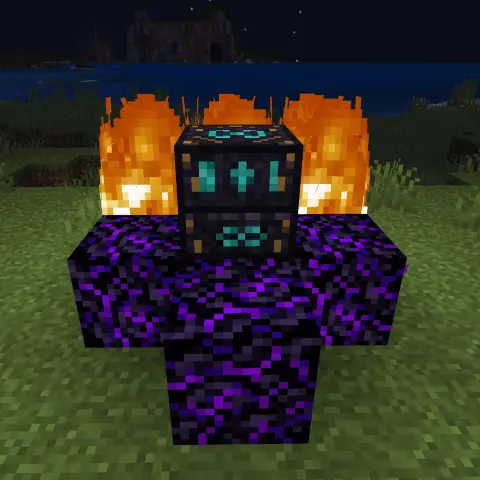
For mobs, build a tiny “dup lab” with fences so things don’t wander, then boat or minecart anything temperamental onto the plate. Need a bigger herd, a second villager, or a backup of a rare mob? March them over, fire the block, and you’re set. For items, toss a single ingot or stack onto the surface and scoop the twins as they appear; keep a chest right next to the pad so overflow doesn’t scatter.
The Duplicarium doesn’t rewrite vanilla rules; it just lets you bend them for a moment, with obvious risk. Use it to kick-start builds, stock survival runs, or stage ridiculous “army” moments, then accept the flare-out when you’ve pushed your luck. If you want a magical, high-impact toy that turns resource walls into creative explosions—without pretending to be balanced—Duplicarium mod delivers exactly that.
Installation Mod:
- Download the .mcaddon / .mcpack;
- Open the file to import into the game;
- In World Settings → Resource Packs and Behavior Packs, enable it (turn on Experiments if needed);
- Have fun!
Duplicarium mod is a one-block duplication engine for Minecraft Bedrock that copies any item, mob, or object you set on it, then eventually self-destructs if you push it too far. That’s the hook: drop something on the plate (or lure a mob onto it), hear the mystical chime, watch the particles spin up, and a perfect clone pops into your world. It feels like wizard tech—loud, flashy, and dangerously convenient.
In practice, it changes your pacing immediately. Early game, I used it in quick bursts to duplicate bread, coal, and torches so I could sprint through the first night without grinding. Midgame, it became a crafting accelerator—iron for rails, copper for roofs, gold for powered track—so projects that usually stall on resources actually shipped on time. Late game, I saved sessions for the good stuff: diamonds, netherite, and rare drops I didn’t want to gamble for. The catch is baked in: overuse it and the Duplicarium “pops,” wiping itself in a dramatic FX burst. Treat it like a consumable tool—run short, focused sessions, bank the haul, and be ready for the block to retire itself.
For mobs, build a tiny “dup lab” with fences so things don’t wander, then boat or minecart anything temperamental onto the plate. Need a bigger herd, a second villager, or a backup of a rare mob? March them over, fire the block, and you’re set. For items, toss a single ingot or stack onto the surface and scoop the twins as they appear; keep a chest right next to the pad so overflow doesn’t scatter.
The Duplicarium doesn’t rewrite vanilla rules; it just lets you bend them for a moment, with obvious risk. Use it to kick-start builds, stock survival runs, or stage ridiculous “army” moments, then accept the flare-out when you’ve pushed your luck. If you want a magical, high-impact toy that turns resource walls into creative explosions—without pretending to be balanced—Duplicarium mod delivers exactly that.
Installation Mod:
- Download the .mcaddon / .mcpack;
- Open the file to import into the game;
- In World Settings → Resource Packs and Behavior Packs, enable it (turn on Experiments if needed);
- Have fun!
💬 Comments (0)
Login to leave a comment.
No comments yet. Be the first!