

BJK - Shadow Skin Pack v1.0.0

Overview
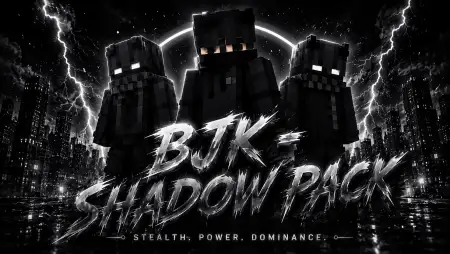
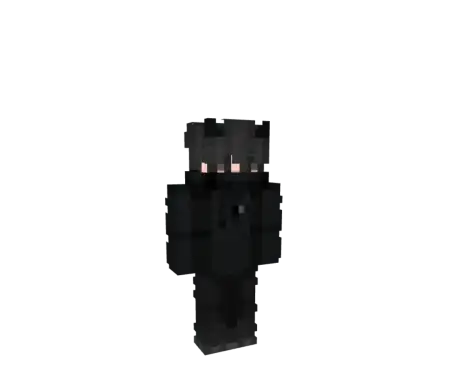
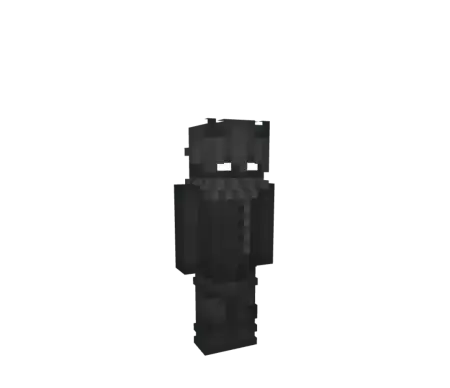
BJK - Shadow Skin Pack mine-craft 10-07-2026, 00:46 307 Skins The BJK - Shadow Skin Pack drops three sleek, dark-themed avatars into your dressing room that are perfect for players who prefer to stay under the radar during their survival runs. If you are tired of the neon-soaked, over-the-top outfits currently flooding the marketplace, this is the stealthy upgrade youâve been waiting for.Sometimes you just want to ditch the bright colors and messy designs that every other player in the lobby is rocking. If youâre into a darker aesthetic or just want a character that looks like it belongs in the deepest, most mysterious corner of a survival SMP, this custom pack hits the mark. Instead of going overboard with crazy 4D geometry that just ends up breaking your hitbox, BJK keeps the design grounded and clean. You get three distinct variations, each leaning into that moody, shadowy vibe without cluttering your screen with unnecessary pixels.You have probably seen those tryhards running around in pitch-black skins that look like a corrupted image file or a lazy bucket fill. That tactic is old news and frankly looks terrible. The BJK Shadow collection actually applies proper shading and depth to dark apparel, meaning you get the stealth advantage without your MCPE cosmetics looking like a visual glitch. The pixel artists worked in subtle greys, deep charcoal layers, and faint tactical highlights to build genuine texture. Whether you pick the hooded rogue variant, the tactical operative, or the clean masked street ninja, your avatar retains a sharp, defined shape under the harsh hub lights but practically vanishes the second you crouch in a shadowy corner of a custom Bedwars arena.Think about how many times you have tracked a player just because their bright red sneakers clipped through a block or caught the sunlight. This specific custom avatar rotation eliminates those dead giveaways entirely. Running these muted aesthetics gives you a massive W in high-stakes PvP environments. When you bridge across the void at midnight or maneuver through a dense Nether fortress, opponents will genuinely struggle to lock onto your exact movement. It forces them to rely purely on nameplates, and if you are sneaking, you are basically untraceable. You become the ultimate flanker, initiating fights on your exact terms before the enemy team even realizes their perimeter is breached.Unlike sketchy third-party downloads that corrupt your game files, this pack flawlessly integrates with the native Minecraft Bedrock architecture. We are talking zero weird hitbox extensions and no invisible limb errors when you switch items in your hotbar. Whether you are grinding ranked matches on your console, playing on a high-end PC rig, or tapping away on mobile, these textures lock right into your official Dressing Room. Every single player on the server sees the exact same sleek, shadowed operative rendering instantly as you enter their chunk.These skins look sharp in every game mode, whether you are sneaking through pitch-black caves or camping out in a high-stakes PvP arena. Because these designs utilize standard player models, your enchanted diamond or netherite armor is going to fit perfectly. You won't have to worry about annoying clipping issues or weird visual glitches that ruin your immersion during combat. It is a no-nonsense setup for anyone who values a clean, brooding aesthetic. If you are ready to refresh your inventory with some low-profile designs, drop this Minecraft Bedrock skin pack into your rotation today.Quick guide: How to install this Minecraft skinpackDownloaded the .mcpack file? Here is exactly how to get it into your game depending on what device you are using right now.- On Windows or Android: Just click or tap the downloaded file twice. Minecraft will open up on its own and load the skins immediately.- On iPhone or iPad: Save the file, open your Files app, and hold your finger on it. Hit Share, select Minecraft from the list, and the game will handle the rest.To put the skins on, just open Minecraft, head over to the Dressing Room (Profile), click on Classic Skins on the left, find this pack under Owned, and tap Equip.shadowpack.mcpack [4.28 Kb] (downloads: 25)
💬 Comments (0)
Login to leave a comment.
No comments yet. Be the first!