

Auto Plant Saplings Mod / Addon v1.0.0
Overview
/ Addons / Mods 1.21
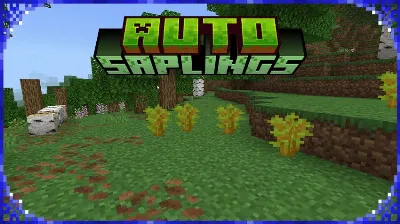
Auto Plant Saplings mod is the tiny QoL tweak your Minecraft Bedrock worlds didn’t know they needed. The hook is dead simple: drop a sapling, give it half a second on valid ground (dirt, grass, podzol), and it plants itself. That’s it. No menus, no weird items, no commands. It just quietly cleans up after your lumberjack runs so forests grow back while you keep moving.
In my survival grind, this changed how I harvest. I blitz through a spruce farm with an axe, flick saplings out of my hotbar as I strafe the lanes, and never break stride—by the time I turn around, the field’s already replanted. It also shines in the wild: clear a messy birch patch, toss the drops back on the floor, and watch the hillside re-seed itself without pixel-perfect right-click spam. The add-on respects stacks too—drop a stack, it plants one and leaves the rest, so you won’t accidentally carpet the whole biome.
What I like most is how natural it feels. You’re still playing Minecraft; you’re just not babysitting every single sapling. Jungle cleanups, mega taiga regrowth, mangrove edges—anywhere you’d normally fight terrain, this lets you go “drop and forget.” It works with every sapling type, plays nice with survival balance, and keeps your focus on the fun part: cutting, building, and moving.
If you run tree farms, speed-run early game wood, or hate the replant chore, Auto Plant Saplings mod is a no-brainer. Fewer clicks, cleaner trails, greener worlds—set it and let nature do the work.
Installation Mod:
- Download the .mcaddon / .mcpack;
- Open the file to import into the game;
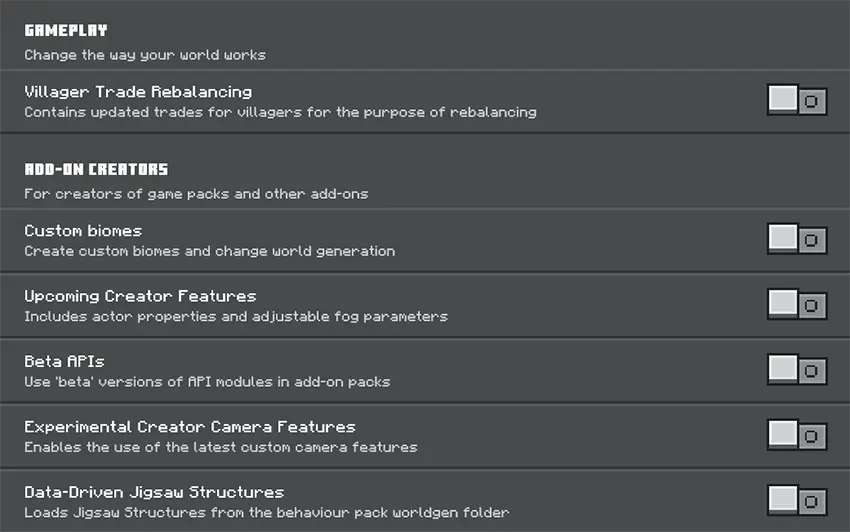
- In World Settings → Resource Packs and Behavior Packs, enable it (turn on Experiments if needed);
- Have fun!
Auto Plant Saplings mod is the tiny QoL tweak your Minecraft Bedrock worlds didn’t know they needed. The hook is dead simple: drop a sapling, give it half a second on valid ground (dirt, grass, podzol), and it plants itself. That’s it. No menus, no weird items, no commands. It just quietly cleans up after your lumberjack runs so forests grow back while you keep moving.
In my survival grind, this changed how I harvest. I blitz through a spruce farm with an axe, flick saplings out of my hotbar as I strafe the lanes, and never break stride—by the time I turn around, the field’s already replanted. It also shines in the wild: clear a messy birch patch, toss the drops back on the floor, and watch the hillside re-seed itself without pixel-perfect right-click spam. The add-on respects stacks too—drop a stack, it plants one and leaves the rest, so you won’t accidentally carpet the whole biome.
What I like most is how natural it feels. You’re still playing Minecraft; you’re just not babysitting every single sapling. Jungle cleanups, mega taiga regrowth, mangrove edges—anywhere you’d normally fight terrain, this lets you go “drop and forget.” It works with every sapling type, plays nice with survival balance, and keeps your focus on the fun part: cutting, building, and moving.
If you run tree farms, speed-run early game wood, or hate the replant chore, Auto Plant Saplings mod is a no-brainer. Fewer clicks, cleaner trails, greener worlds—set it and let nature do the work.
Installation Mod:
- Download the .mcaddon / .mcpack;
- Open the file to import into the game;
- In World Settings → Resource Packs and Behavior Packs, enable it (turn on Experiments if needed);
- Have fun!
💬 Comments (0)
Login to leave a comment.
No comments yet. Be the first!