

Assassin's Creed Shadows - Skin Pack v1.0.0
Overview
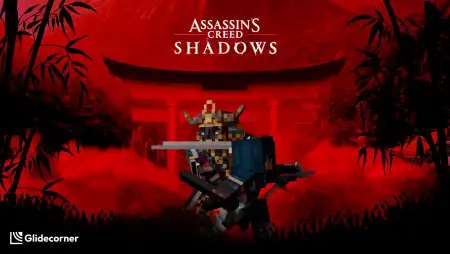
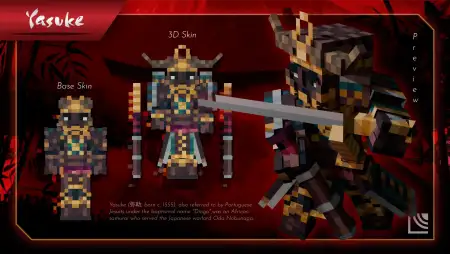
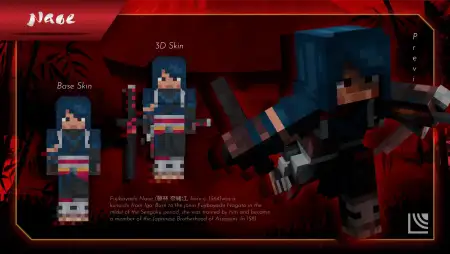
Assassin's Creed Shadows - Skin Pack mine-craft 22-01-2026, 13:54 670 Skins Assassin's Creed Shadows - Skin Pack is based on Assassin's Creed Shadows, a 2026 action role-playing game developed by Ubisoft Quebec and published by Ubisoft. Itâs set in 16th-century Japan near the end of the Sengoku period, and the whole story backdrop is that long-running conflict between the Assassins and the Knights Templar, just seen through two very different main characters.What makes this theme fun for a skin pack is the two-protagonist contrast. Naoe is a female shinobi, and Yasuke is a samurai inspired by the historical figure, described here as an African from Mozambique who was brought to Japan with missionary Jesuits. Even if youâre just running regular survival, that split gives you an easy roleplay setup: one player leans stealthy and careful, the other plays bold and direct. In co-op, itâs a clean âtwo styles, one goalâ vibe without needing your world to be complicated.If youâre using Assassin's Creed Shadows - Skin Pack on servers, itâs perfect for making your own little rivalry stories. One night youâre scouting bases and moving through forests like a shinobi, the next youâre rolling up as the samurai and acting like you own the roads. For PvP, the biggest win is readability: pick a look that matches how you play so friends instantly know whoâs about to sneak and whoâs about to swing first.The source text also calls Shadows the fourteenth major Assassinâs Creed installment, the successor to Assassinâs Creed Mirage, and the first title included on the Assassinâs Creed: Infinity platform, and that âapproach quests different waysâ idea fits nicely with how skins feel in Minecraft Bedrock. Assassin's Creed Shadows - Skin Pack works best when you actually commit to the moodâbuild a little Japan-style hideout, run night missions around your base, and keep your gameplay choices consistent with whether youâre feeling more Naoe or more Yasuke that session.How to Install Skins in Minecraft Bedrock- Download a .png skin (64Ã64 or 128Ã128).- Open Minecraft Bedrock.- Go to Profile (hanger icon) â Edit Character.- Tap Owned â Import â Choose New Skin.- Select your .png file.- Pick a model: Classic (Steve) or Slim (Alex).- Confirm to equip and play.assassins-creed-shadows-by-glidecorner.mcpack [8.27 Kb] (downloads: 51)
💬 Comments (0)
Login to leave a comment.
No comments yet. Be the first!