

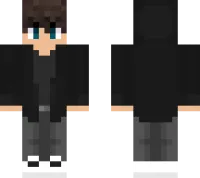
Aaron Boy HD 4.0 Skin v1.0.0
Overview
Aaron Boy HD 4.0 Skin mine-craft 19-03-2026, 08:03 398 Skins Aaron Boy HD 4.0 - Minecraft Bedrock skin of Aaron's boy in casual clothes.How to Install Skins in Minecraft Bedrock- Download a .png skin (64Ã64 or 128Ã128).- Open Minecraft Bedrock.- Go to Profile (hanger icon) â Edit Character.- Tap Owned â Import â Choose New Skin.- Select your .png file.- Pick a model: Classic (Steve) or Slim (Alex).- Confirm to equip and play.aaronhd-4_0_png.zip [3.36 Kb] (downloads: 20)
💬 Comments (0)
Login to leave a comment.
No comments yet. Be the first!